G
Guest

Ncr Log Template E46

Download an NCR log template (NCR register) to track non-conformance reports by ID, date, status, location, references, actions, and closure. Includes an empty template and a filled example in Excel and PDF.

Ncr Log Template E46
English version

NCR Log Template (NCR Register / Tracker)

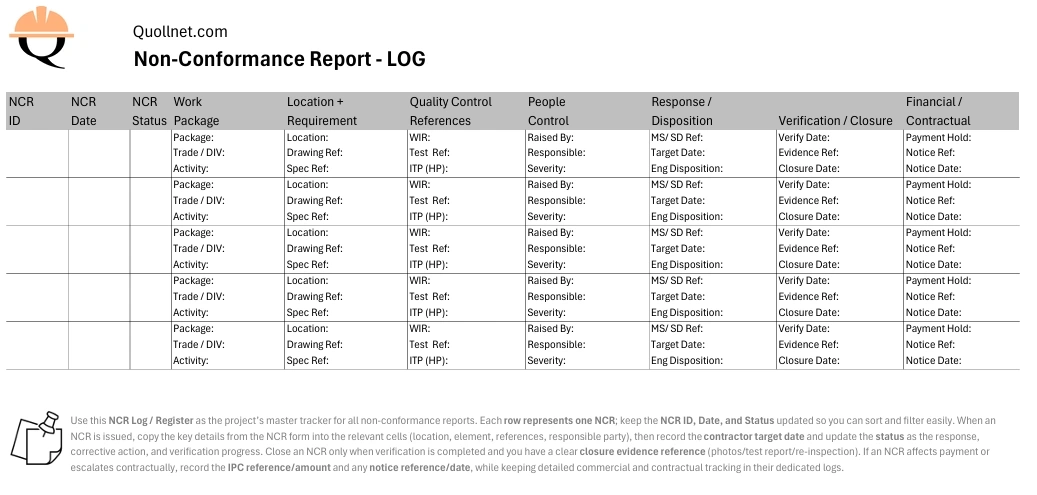
Use this NCR Log (also called an NCR Register) to track every Non-Conformance Report from issue to closure. The log is designed so each NCR is one row, and most cells can hold multiple lines (key details grouped together), which keeps it printable on A4 landscape while still filterable and searchable in Excel.


Downloads

1) Empty NCR Log Template

2) Filled Example (10 NCR samples)
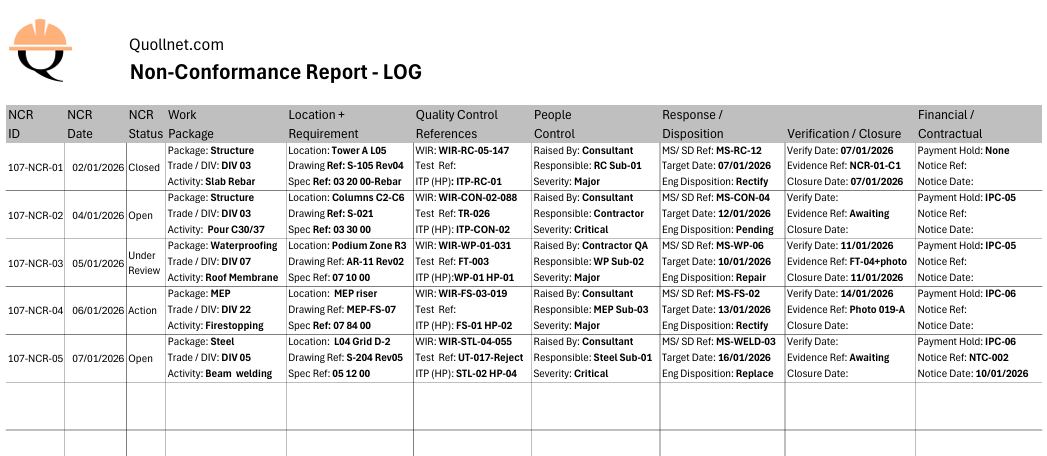

construction ncr register ncr tracker filled
Preview of the filled NCR Log example showing sample NCR entries with realistic cases, status updates, and closure evidence references.

construction ncr register ncr tracker
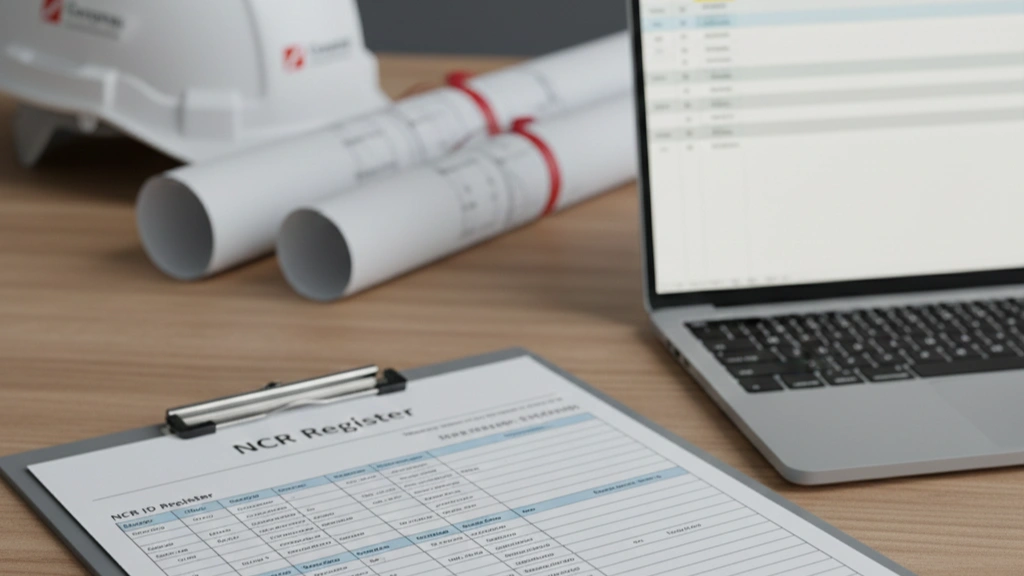
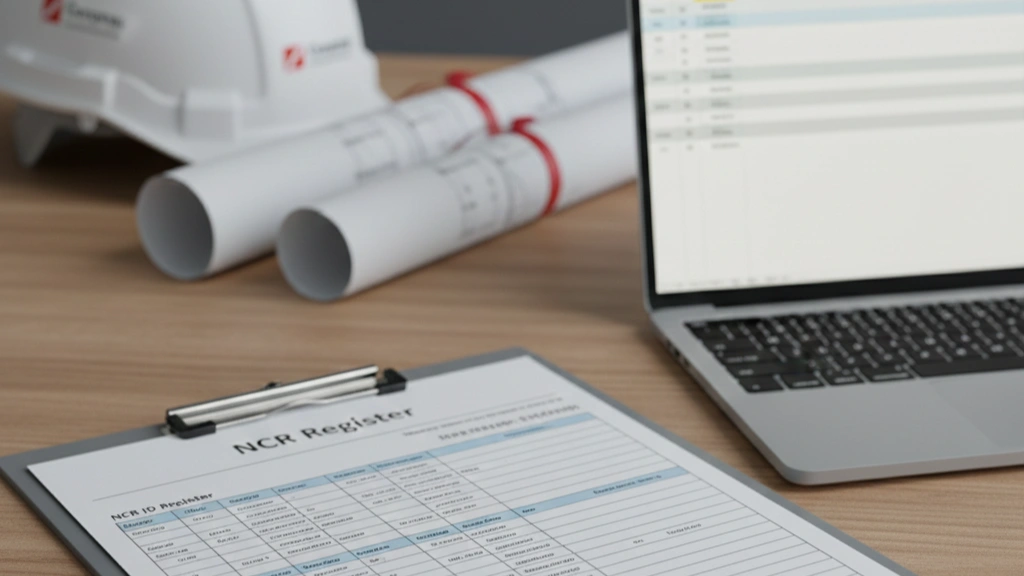
Preview of the empty NCR Log / NCR Register template (A4 landscape layout, one NCR per row) for tracking status, references, actions, and closure.

Related pages (recommended links)


How to use the NCR log (quick guidance)

Each row represents one NCR. Start by filling the NCR ID, NCR Date, and NCR Status (these are kept as simple cells so you can sort and filter easily). Then copy the key details from the NCR form into the grouped cells (location, element/activity, references, responsible party). Update the contractor target date, change the status as actions progress, and record verification and closure evidence when completed. Close an NCR only after re-inspection/re-testing is accepted and the closure evidence reference is recorded. If an NCR affects payment or escalates contractually, record the IPC reference/amount and any notice reference/date here, while keeping detailed QS and contract administration in dedicated logs.


What the log tracks (at a glance)

This register is meant to answer, quickly:

  • What is open vs closed?

  • Where is the non-conformance and what element is affected?

  • Which references apply (spec/drawing/inspection/test)?

  • Who is responsible and what is the due date?

  • What is the disposition and what evidence closed it?

  • Did it affect payment or escalate to a contractual notice?


Abbreviations used in the log (glossary)

  • MS = Method Statement

  • SD = Shop Drawing

  • ITP = Inspection and Test Plan

  • HP = Hold Point (an ITP point where work cannot proceed without inspection/acceptance)

  • WIR = Work Inspection Request

  • QA/QC = Quality Assurance / Quality Control

  • IPC = Interim Payment Certificate

  • BOQ = Bill of Quantities

(If you use other abbreviations in your sheet, add them here as a single list.)


Notes on financial and contractual fields (keep it light)

Some NCRs affect commercial valuation (e.g., payment holds, deductions, or accepted with concession). This log only records high-level traceability (Yes/No, reference, date, amount). Detailed calculations and contract correspondence should remain in the QS/contract admin registers to avoid turning the NCR log into a commercial ledger.



Lena Miller's photo
Lena Miller
Feb 12, 2026
0
13
1.69k+
1.74k+

Ncr Log Template E46

Frequently Asked Questions


FAQ

Q: What is an NCR log (NCR register)?

A: An NCR log is a tracking register used to monitor all NCRs on a project by ID, status, location, references, actions, verification, and closure. It helps teams prioritize closures and manage quality performance.

FAQ

Q: Should each NCR be a row or a separate page?

A: For project control, each NCR should be one row in the register (with grouped multi-line cells if needed). The NCR form itself remains the detailed record.

FAQ

Q: Who updates the NCR log?

A: Typically the QA/QC team maintains the log (contractor or consultant, depending on the system). Status and closure should reflect the latest verified position, not assumptions.

FAQ

Q: What status values should I use?

A: Keep it simple and consistent, such as Open, Under Review, Actioned, Closed. The key is consistency for sorting and reporting.

FAQ

Q: Do NCRs affect payments (IPC)?

A: They can. If work is non-conforming or accepted with a deduction, projects may apply a payment hold or deduction and record it in the IPC deductions section. This log should record the IPC reference and amount at a high level.

FAQ

Q: Should I track contractual notices linked to NCRs in this log?

A: Yes, but lightly. Record only whether a contractual notice was issued, plus the notice reference and date. Detailed notice tracking belongs in a separate contract notices log.

FAQ

Q: Where do I find the detailed NCR format used for each record?

A: Use the NCR Form Template page for the full NCR form used to raise and close individual NCRs.

Related Checklists


What to Do When the Contractor Receives an NCR: Action Guide
✅ 22 items
What to do when the contractor receives an NCR is a practical, step-by-step response plan for construction teams facing a nonconformance report, non-compliance notice, or quality deviation. This checklist focuses on immediate containment, factual root cause analysis, corrective and preventive actions, and transparent closeout—without drifting into unrelated scopes. By following a structured approach, you reduce rework, avoid safety incidents, protect delivery dates, and maintain a defensible contractual position. Every step emphasizes objective evidence: calibrated measurements, annotated photos, batch numbers, inspection reports, and signatures. You will find guidance for logging, isolating affected work, coordinating hold points, and aligning with stakeholder expectations per approved project specifications and authority requirements. The result is a clear record demonstrating control of the nonconformance, verification of the fix, and prevention of recurrence. Start in interactive mode to tick items, add comments, attach files, and export your record as PDF/Excel with a QR link for quick field access.
Compile pile dossier for handover: QA docs checklist
✅ 24 items
Compile pile dossier for handover is your structured process for organizing and validating all pile-related documentation prior to client acceptance. This piling documentation checklist focuses on the pile QA dossier, ensuring verifiable records for installation, testing, calibrations, and as-built deliverables while explicitly excluding general foundation records such as pile caps or ground beams. By curating only pile-specific evidence—installation logs, static and dynamic load test reports, integrity test summaries, instrument calibration certificates, and NCR closures—you reduce disputes, avoid rework, and accelerate taking-over. The outcome is a clean, traceable package that demonstrates compliance per approved project specifications and authority requirements, with consistent file naming, signatures, and revision control. Practical acceptance cues, SI-based tolerances, and geo-referenced evidence help teams close gaps quickly and defend quality under audit. Use this interactive checklist to assign actions, capture photo and file attachments, add comments, and track digital sign-offs. Start ticking items, comment where needed, and export the dossier as PDF/Excel with an embedded QR code.
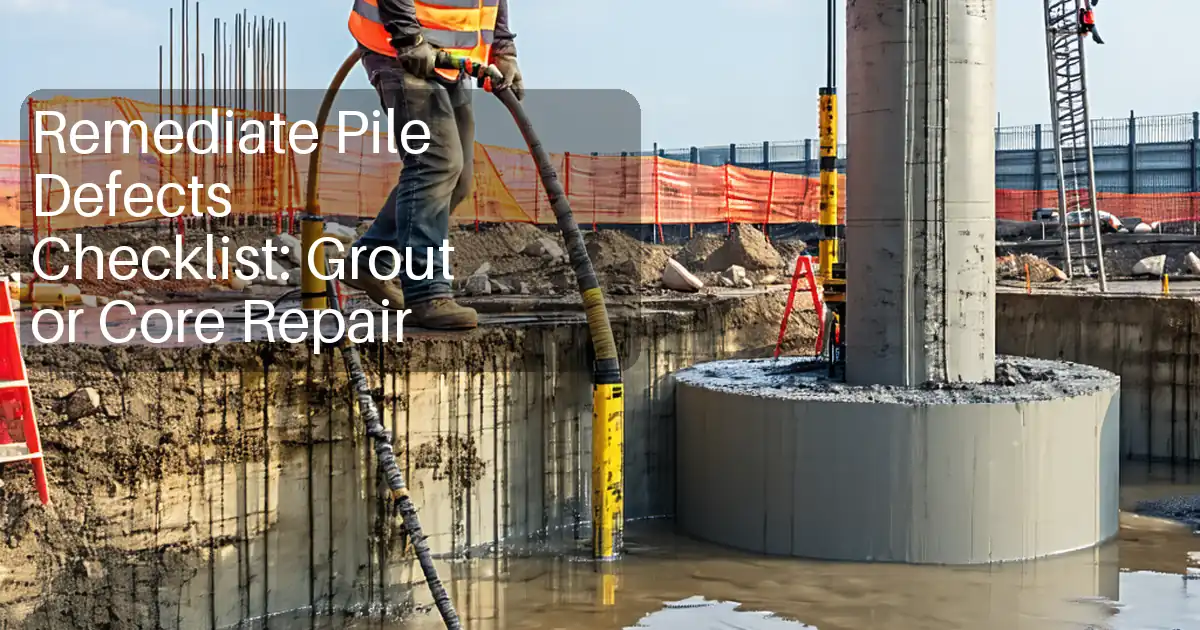
Remediate Pile Defects Checklist: Grout or Core Repair
✅ 26 items
Remediate pile defects with a disciplined, field-proven process focused on pressure grouting or core repair, verification, and closing nonconformance reports. This checklist guides supervisors, QC engineers, and contractors through practical pile repair steps without adding new tests, relying on the approved investigation and method statement. It helps decide between pressure grouting for internal voids or core repair for localized damage, manages materials and equipment, and controls grouting pressures, volumes, and curing. You will capture photo evidence, pressure/volume logs, batch certificates, and as-built sketches to demonstrate that defective piles are restored to intent per approved project specifications and authority requirements. The scope excludes new integrity or load testing; verification depends on process records, dimensional checks, and joint inspections. Outcomes include safe, durable repairs, traceable documentation, and timely NCR closure. Use this interactive checklist to tick off actions, add field comments, and export a QR-secured PDF/Excel package for review and archiving.
Inspect façade delivery, unloading, and storage on site
✅ 24 items
Inspect façade delivery, unloading, and storage conditions on site to protect high‑value façade components and maintain traceability. This checklist targets facade logistics inspection, material receipt inspection, and offloading control for curtain wall panels, cladding cassettes, glazing units, sub‑frames, and hardware. It focuses strictly on delivery verification, safe unloading methods (crane/forklift), and storage environmental controls—excluding installation, testing, and commissioning. By capturing waybills, lot numbers, and condition photos, teams avoid hidden damage, moisture ingress, mix‑ups, and handling injuries. Acceptance cues cover crate integrity, rigging suitability, ground stability, weather readiness, and storage temperature/relative humidity. The outcome is predictable handling, reduced rework, preserved warranties, and clear readiness for subsequent façade assembly per approved project specifications and authority requirements. Use this interactive checklist on mobile: tick off steps as events occur, attach photos and instrument readings, add comments for snags, and export your record to PDF/Excel with a secure QR code for verification and sharing.
Repair Driven Pile Heads/Splices: Weld, QA and Coating
✅ 22 items
Repair driven pile heads/splices is a focused jobsite process to restore integrity of driven steel pile heads and welded splices after driving. This checklist addresses pile head repair, pile splice welding, weld rectification, protective coating application, and QA records. It explicitly excludes driving logs and production data, concentrating instead on defect identification, alignment and fit-up, qualified welding, nondestructive testing, and corrosion protection. By following these steps, teams reduce structural risk from crack propagation, misalignment, and coating failure, while creating a defensible audit trail. Each instruction pairs a method or tool with acceptance evidence—measurements in millimetres, temperature readings, NDT reports, coating thicknesses, photos, material heat numbers, and signatures—per approved project specifications and authority requirements. Use this checklist to organize work zones, capture approvals, and prevent rework, ensuring consistent, traceable repairs that stand up to independent review. Start in interactive mode to tick tasks, add comments, and export PDF/Excel with a secure QR for field sign-off.

Related Articles


Ncr Meaning Construction
⏳ 3 min read
Ncr Meaning In Construction (qa/qc Non-conformance Report Guide)
NCR meaning in construction: an NCR (Non-Conformance Report) is a QA/QC record issued when work or materials don’t meet project requirements. Learn when to issue an NCR, who issues it, and how it’s closed.
Observation Vs Ncr Vs Snag Vs Defect 071
⏳ 6 min read
Observation Vs Ncr Vs Snag Vs Defect In Construction: When To Use Each Record
Learn the difference between an Observation (SOR), NCR, Snag/Punch List, and Defect (DLP). Use the right record at the right time, prevent observations from escalating into NCRs, and understand how payment, handover, and contractual notices are affected.
Ncr Form Template
⏳ 4 min read
Ncr Form Template (excel/pdf) – Non-conformance Report Format
Download a practical NCR form template used on construction projects. Includes key fields for QA/QC non-conformance description, specification references, corrective action, verification, and closure.
Ncr Log Template E46
⏳ 2 min read
قالب سجل Ncr (التسجيل ومتتبع Ncr) – تنزيل Excel/pdf
قم بتنزيل قالب سجل NCR (سجل NCR) لتتبع تقارير عدم المطابقة بواسطة المعرف، التاريخ، الحالة، الموقع، المراجع، الإجراءات، والإغلاق. يتضمن قالبًا فارغًا ومثالًا معبأً في Excel وPDF.
Site Clarification Log Template Excel
⏳ 1 min read
Site Clarification Log (rfi Log) — Free Excel Template
Download a free Site Clarification (RFI) Log in Excel/CSV. Track IDs, due dates, status, answers, and VO links. Mini guide + pro version included.