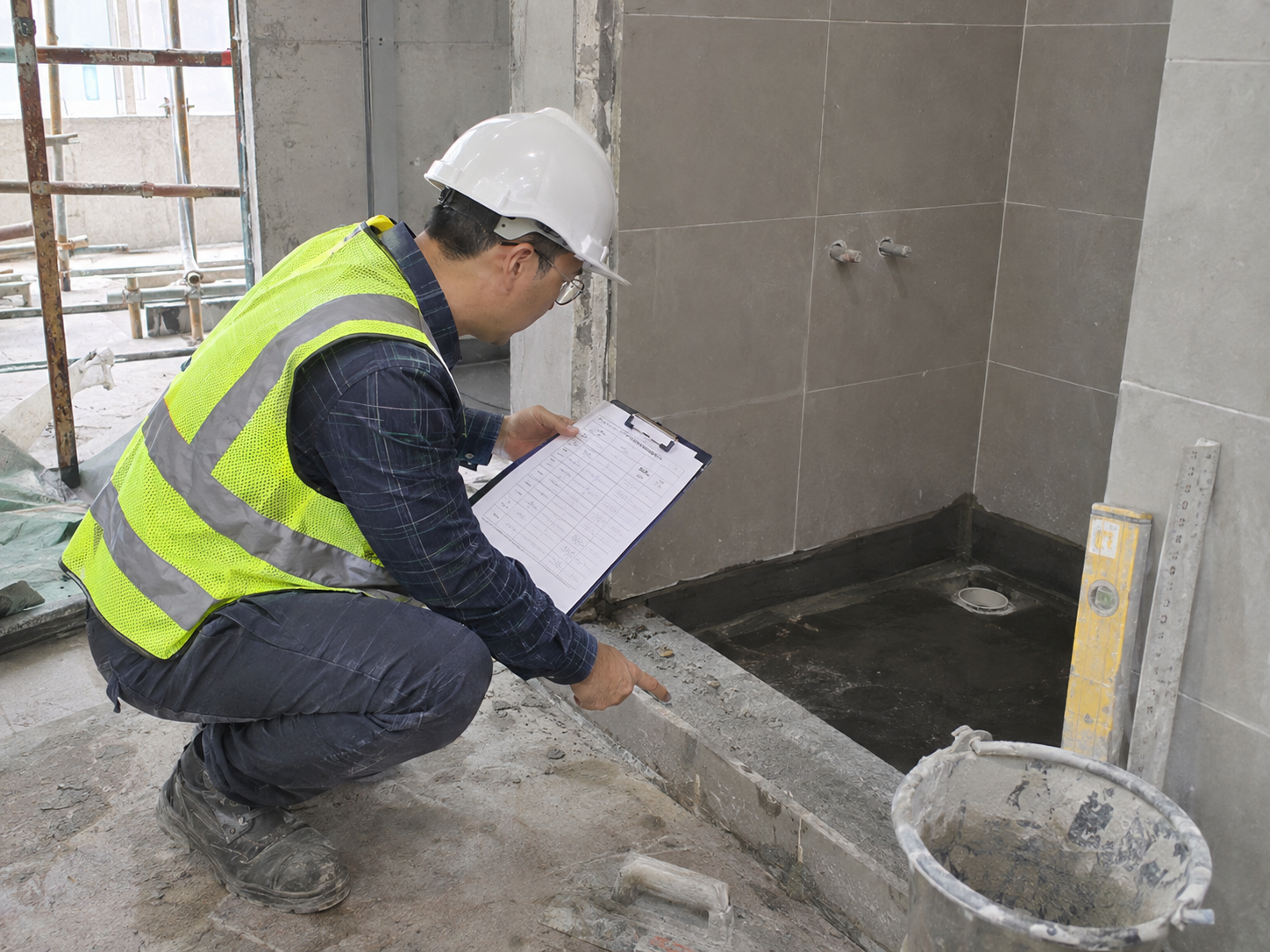
Construction Defects Log: Free Excel Register Template
A construction defects log is a compact register of findings that another party must resolve. The Engineer may use it for defects assigned to the Contractor, and a Contractor may use the same format for Subcontractors. It tracks the issue and linked observation, NCR or notice references; full evidence belongs in those individual records.
Download the Construction Defects Log
Choose the blank register for your project or the filled sample to see how typical defects are recorded. These compact Excel and PDF layouts are prepared for A4 landscape printing.
Blank defect register
Filled example
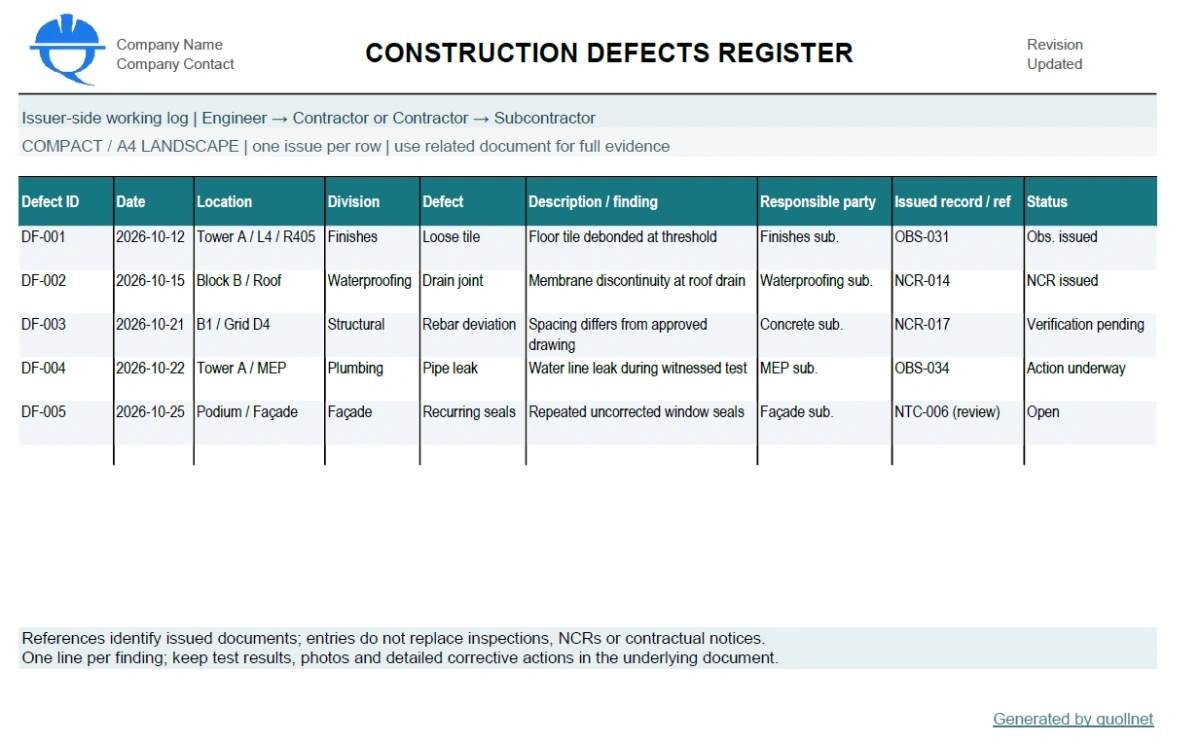
Preview: The sample register below illustrates how to record findings and follow-up references without overcrowding the log.
Who Uses the Defect Register?
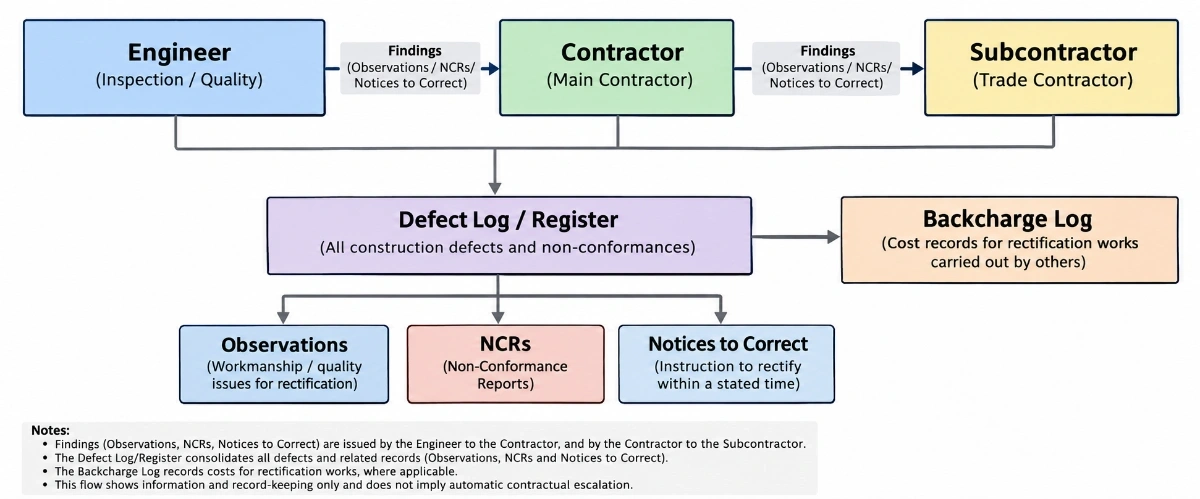
Engineer or consultant: records work found deficient and identifies the Contractor responsible for a response. Main Contractor: maintains the same kind of defect record for work undertaken by Subcontractors. Different parties may keep their own registers, but each finding should have a stable ID and a traceable document history. The Engineer's contractual role is not identical under every form of contract.
Defects Log Columns
| Column | Entry |
|---|---|
| Defect ID; Date | Unique issue reference and date identified. |
| Location; Division | Building, floor and trade or work division. |
| Defect; Description | Concise finding and a factual statement of the problem. |
| Responsible party | Contractor or Subcontractor asked to rectify or respond. |
| Issued record / reference | Observation, NCR, Notice to Correct or other related document ID, where applicable. |
| Status | Open, issued, action underway, awaiting verification or closed. |
This intentionally avoids copying photographs, corrective-action narratives, prices or contractual clauses into the register. Those details stay in the issued records, making the log easier to use and print.
Example: Roof Drain Waterproofing Defect
During pre-cover inspection, the Engineer records a waterproofing discontinuity at a roof drain. The log identifies the roof location, trade, finding, responsible contractor and any issued observation or NCR reference. The underlying document contains the photographs, approved detail, correction proposal, inspection record and decision.
What to Do After Logging a Defect
- Give the finding a unique reference.
- Record exactly what was observed and where.
- Identify the party required to respond.
- Issue the appropriate site observation, NCR, snag or contractual notice under project procedures, if warranted.
- Record the linked reference and track the reply or correction.
- Close only following the authorized verification or determination.
Connections to Other Construction Logs
See the Construction Defects technical guide for the engineering and contractual background. Contractor replies to observations belong in the Observations Log. Formal nonconformances are tracked in the existing NCR Log. A formal contractual notice belongs in the Notices Log, while any proposed recovery or payment deduction belongs in the Backcharge Log.
Compare the forms in Observation vs NCR vs Snag vs Defect.