G
Guest

NCR Log Template (Register & NCR Tracker) – Excel/PDF Download

Download an NCR log template (NCR register) to track non-conformance reports by ID, date, status, location, references, actions, and closure. Includes an empty template and a filled example in Excel and PDF.

Ncr Log Template E46
English version

NCR Log Template (NCR Register / Tracker)

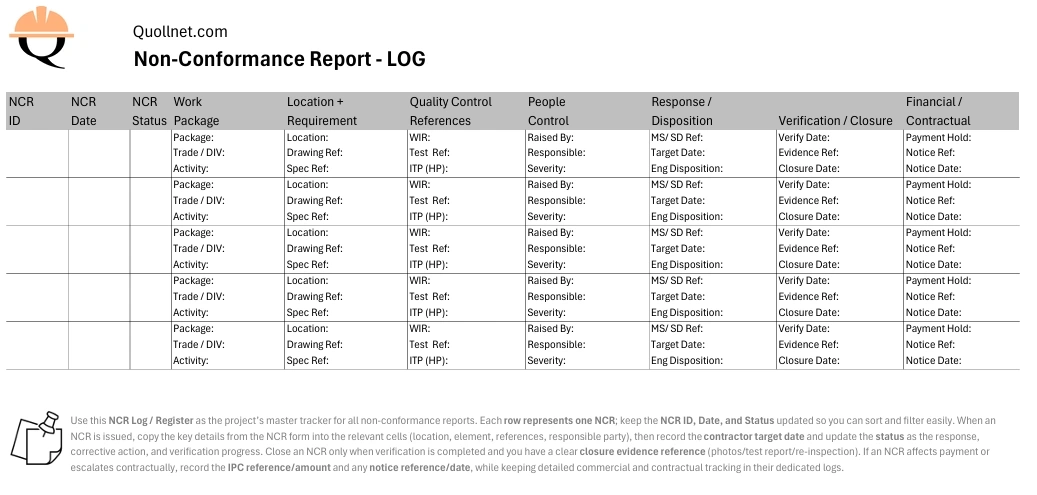
Use this NCR Log (also called an NCR Register) to track every Non-Conformance Report from issue to closure. The log is designed so each NCR is one row, and most cells can hold multiple lines (key details grouped together), which keeps it printable on A4 landscape while still filterable and searchable in Excel.


Downloads

1) Empty NCR Log Template

2) Filled Example (10 NCR samples)
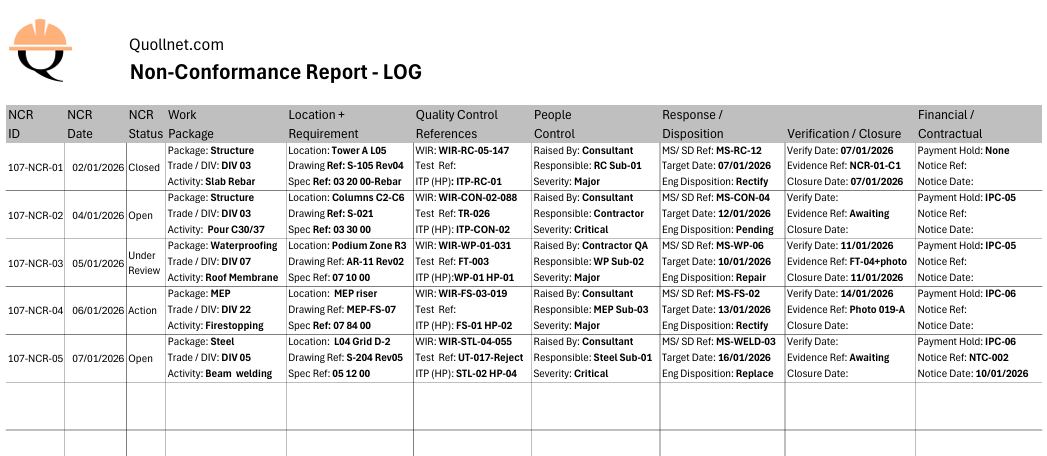

construction ncr register ncr tracker filled
Preview of the filled NCR Log example showing sample NCR entries with realistic cases, status updates, and closure evidence references.

construction ncr register ncr tracker
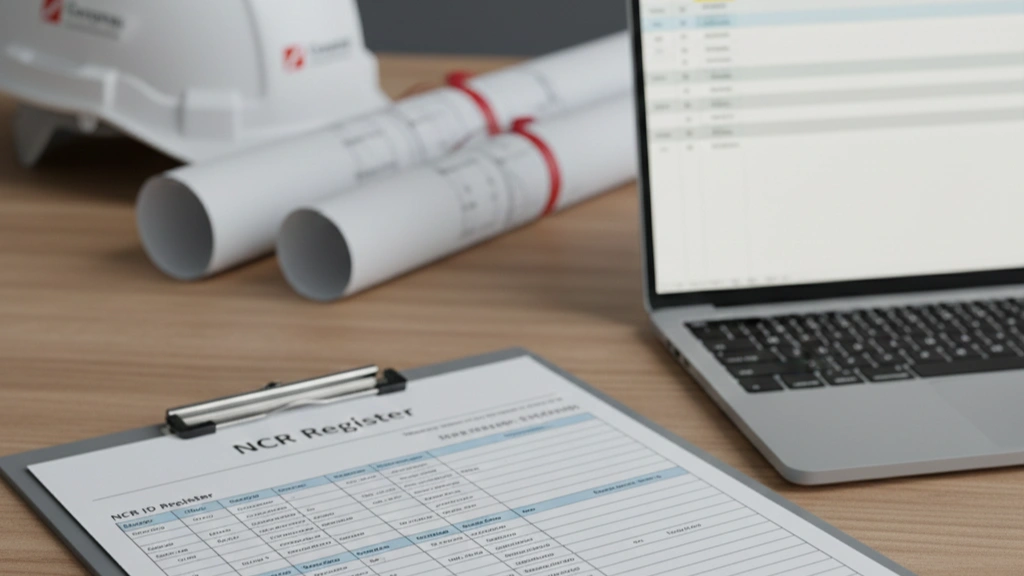
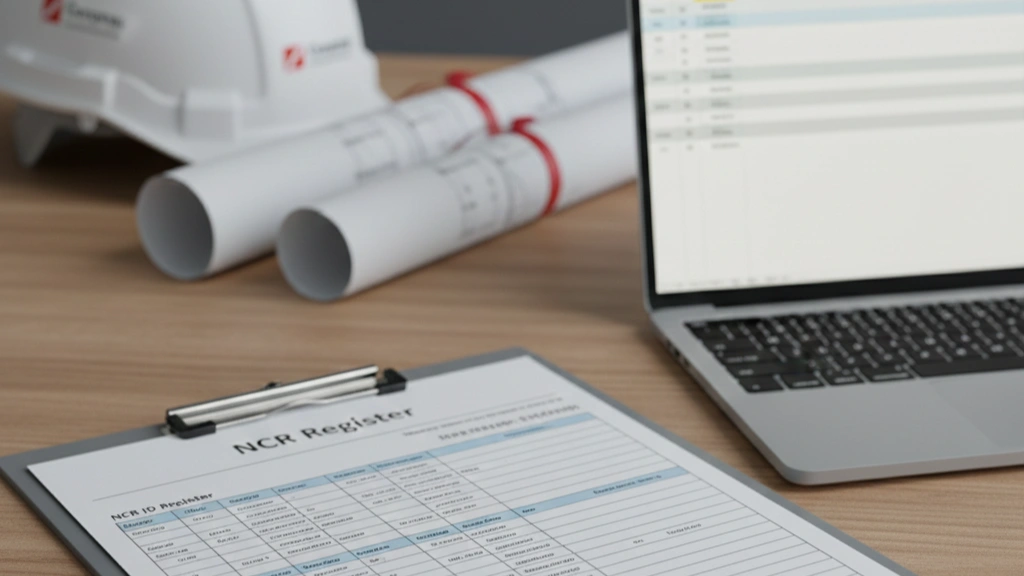
Preview of the empty NCR Log / NCR Register template (A4 landscape layout, one NCR per row) for tracking status, references, actions, and closure.

Related pages (recommended links)


How to use the NCR log (quick guidance)

Each row represents one NCR. Start by filling the NCR ID, NCR Date, and NCR Status (these are kept as simple cells so you can sort and filter easily). Then copy the key details from the NCR form into the grouped cells (location, element/activity, references, responsible party). Update the contractor target date, change the status as actions progress, and record verification and closure evidence when completed. Close an NCR only after re-inspection/re-testing is accepted and the closure evidence reference is recorded. If an NCR affects payment or escalates contractually, record the IPC reference/amount and any notice reference/date here, while keeping detailed QS and contract administration in dedicated logs.


What the log tracks (at a glance)

This register is meant to answer, quickly:

  • What is open vs closed?

  • Where is the non-conformance and what element is affected?

  • Which references apply (spec/drawing/inspection/test)?

  • Who is responsible and what is the due date?

  • What is the disposition and what evidence closed it?

  • Did it affect payment or escalate to a contractual notice?


Abbreviations used in the log (glossary)

  • MS = Method Statement

  • SD = Shop Drawing

  • ITP = Inspection and Test Plan

  • HP = Hold Point (an ITP point where work cannot proceed without inspection/acceptance)

  • WIR = Work Inspection Request

  • QA/QC = Quality Assurance / Quality Control

  • IPC = Interim Payment Certificate

  • BOQ = Bill of Quantities

(If you use other abbreviations in your sheet, add them here as a single list.)


Notes on financial and contractual fields (keep it light)

Some NCRs affect commercial valuation (e.g., payment holds, deductions, or accepted with concession). This log only records high-level traceability (Yes/No, reference, date, amount). Detailed calculations and contract correspondence should remain in the QS/contract admin registers to avoid turning the NCR log into a commercial ledger.




L
Lena Miller
Jan 08, 2026
0
1
54
11

Ncr Log Template E46

Frequently Asked Questions


FAQ

Q: What is an NCR log (NCR register)?

A: An NCR log is a tracking register used to monitor all NCRs on a project by ID, status, location, references, actions, verification, and closure. It helps teams prioritize closures and manage quality performance.

FAQ

Q: Should each NCR be a row or a separate page?

A: For project control, each NCR should be one row in the register (with grouped multi-line cells if needed). The NCR form itself remains the detailed record.

FAQ

Q: Who updates the NCR log?

A: Typically the QA/QC team maintains the log (contractor or consultant, depending on the system). Status and closure should reflect the latest verified position, not assumptions.

FAQ

Q: What status values should I use?

A: Keep it simple and consistent, such as Open, Under Review, Actioned, Closed. The key is consistency for sorting and reporting.

FAQ

Q: Do NCRs affect payments (IPC)?

A: They can. If work is non-conforming or accepted with a deduction, projects may apply a payment hold or deduction and record it in the IPC deductions section. This log should record the IPC reference and amount at a high level.

FAQ

Q: Should I track contractual notices linked to NCRs in this log?

A: Yes, but lightly. Record only whether a contractual notice was issued, plus the notice reference and date. Detailed notice tracking belongs in a separate contract notices log.

FAQ

Q: Where do I find the detailed NCR format used for each record?

A: Use the NCR Form Template page for the full NCR form used to raise and close individual NCRs.

Related Checklists


Maintain Piling Records: Depths, Spoil, Tremie & Timestamps
✅ 26 items
Maintain piling records is the backbone of reliable bored pile documentation. This checklist focuses on bored cast-in-place pile recordkeeping, including piling logs, drilling records, tremie concrete log entries, and concrete volume reconciliation—while explicitly excluding testing activities like slump or integrity tests. You will capture drilled depths, spoil characteristics, refusal or hard-layer events, casing details, base cleanliness, tremie embedment, pour sequence, and the exact timestamps that prove continuity. Accurate, consistent records prevent rework, reduce claims, and improve traceability for audits and handover. They also clarify overbreak, groundwater effects, and production rates, helping planners and engineers adjust methods before issues escalate. The outcome is a clean, searchable history that ties location, actions, and quantities to photos, batch tickets, and signatures, per approved project specifications and authority requirements. Start in interactive mode to tick items, add comments, attach photos, and export as PDF/Excel with a QR link for verification.
Install vibro-replacement stone columns: inspection checklist
✅ 25 items
Install vibro-replacement stone columns safely and consistently with this focused inspection checklist. Also known as vibro replacement and vibro stone columns, this method densifies granular soils and forms load-sharing inclusions using clean aggregate. The scope here is production installation quality control: verifying probe logs, confirming stone take, validating location spacing, and documenting densification acceptance. Rigid inclusions (grouted or concrete elements) are explicitly excluded. Following this guide helps avoid common risks—underlength columns, insufficient bulbing, segregation of aggregate, mislocated positions, and inadequate post-treatment capacity—that can lead to settlement, differential movement, or non-compliance. You’ll capture evidence from data loggers, scales, and surveys, and align acceptance with approved project specifications and authority requirements. The outcome is a defensible as-built package proving target improvement was achieved without grout or cementitious materials. Use the interactive features to tick each step, add comments where adjustments are made, and export a complete, QR-secured PDF/Excel report for stakeholders.
Construct secant pile wall—guide wall sequence checklist
✅ 22 items
Construct secant pile wall—guide wall and sequence is the focus of this practical, job-ready checklist for site engineers and inspectors. It covers secant bored piles with clear emphasis on guide wall construction, primary and secondary pile offsets, and drilling tolerance control. You will verify alignment using total stations and templates, manage drilling verticality, and sequence primaries then secondaries to achieve the designed overlap. This checklist deliberately excludes diaphragm walls to keep the scope precise and avoid method confusion. Following it helps prevent misaligned guides, inadequate interlock, overbreak, and costly rework while delivering a watertight, dimensionally accurate wall ready for excavation support. Each step calls for tools, acceptance criteria, and evidence such as photos, batch tickets, and survey files. Use the interactive features to tick items, add field comments, and export your records to PDF/Excel with a secure QR for authentication.
Perform jet grouting: monitor rates, diameter, and strength
✅ 24 items
Perform jet grouting safely and consistently with this field-ready monitoring and testing checklist. Focused on soilcrete columns formed by high-energy jets, it guides jet grouting monitoring of pump pressure, grout flow, rotation rate, withdrawal rate, and data capture—excluding permeation grouting. Use it to set and enforce parameter windows proven in trial columns, maintain column geometry, and verify performance through diameter measurements and compressive strength tests. The checklist aligns with typical single-fluid and multi-fluid jet systems while leaving exact values to approved project specifications and authority requirements. You will log calibrated readings in SI units, document spoil returns, confirm column overlap, and obtain UCS evidence from cores or approved alternatives. The result is predictable columns with reduced variability, minimized ground movement risk, and clean, auditable records for acceptance. Start in interactive mode to tick steps, add comments or photos, and export PDF/Excel with a QR-secured record.
Soil Nail Installation Checklist: Diameter, Grout, Pattern
✅ 22 items
Soil nail installation checklist helps site teams control drill diameter, bar length, corrosion protection, grout pressures, and the nail pattern. This focused install-phase guide supports soil nailing QA/QC without covering load or pull-out testing, which should be managed under a separate procedure. You will capture tolerances, verify dimensions and inclination, log grouting pressure and volume, and confirm corrosion protection details such as sheathing and centralizers. By emphasizing as-built evidence—photos with scales, gauge readings in MPa, batch tickets, and coordinates—you reduce rework, prevent grout voids, avoid misaligned nails, and ensure durable protection against corrosion. The outcome is a documented installation that matches approved drawings and specifications, ready for facing works and any subsequent testing or monitoring. Use this interactive tool to tick off each requirement, add comments for deviations or approvals, and export clean records. Start in interactive mode, annotate in the field, then export PDF/Excel with a QR-secured audit trail.

Related Articles


Construction Tender Progress Log Template
⏳ 1 min read
Construction Tender Progress Log Template – Excel, Pdf & Image Download
Download our free Construction Tender Progress Log template from Quollnet to track every bid phase in Excel, PDF, or IMAGE. Automate tender management today.
Construction Tender Register Bid Tracker Template
⏳ 2 min read
Construction Tender Register & Bid Tracker Template – Free Excel, Pdf & Png
Download our free Construction Tender Register & Bid Tracker Template in Excel, PDF & PNG to streamline bids and track ITBs, decisions & outcomes with KPIs.
Ncr Meaning Construction
⏳ 3 min read
Ncr Meaning In Construction (qa/qc Non-conformance Report Guide)
NCR meaning in construction: an NCR (Non-Conformance Report) is a QA/QC record issued when work or materials don’t meet project requirements. Learn when to issue an NCR, who issues it, and how it’s closed.
Ncr Form Template
⏳ 4 min read
Ncr Form Template (excel/pdf) – Non-conformance Report Format
Download a practical NCR form template used on construction projects. Includes key fields for QA/QC non-conformance description, specification references, corrective action, verification, and closure.
Site Clarification Log Template Excel
⏳ 1 min read
Site Clarification Log (rfi Log) — Free Excel Template
Download a free Site Clarification (RFI) Log in Excel/CSV. Track IDs, due dates, status, answers, and VO links. Mini guide + pro version included.