G
Guest

NCR Meaning in Construction (QA/QC Non-Conformance Report Guide)

NCR meaning in construction: Non-Conformance Report explained with examples, workflow and free Excel/PDF NCR form and NCR log downloads for QA/QC teams.

NCR Meaning in Construction (QA/QC Non-Conformance Report Guide)
English version

NCR Meaning in Construction: Non-Conformance Report

NCR in construction means Non-Conformance Report (also called a Nonconformance Report). It is a formal QA/QC record used when work, materials, tests or required documentation do not meet an applicable project requirement, and it tracks the response, correction, verification and closure.

Free NCR Form and NCR Register Downloads

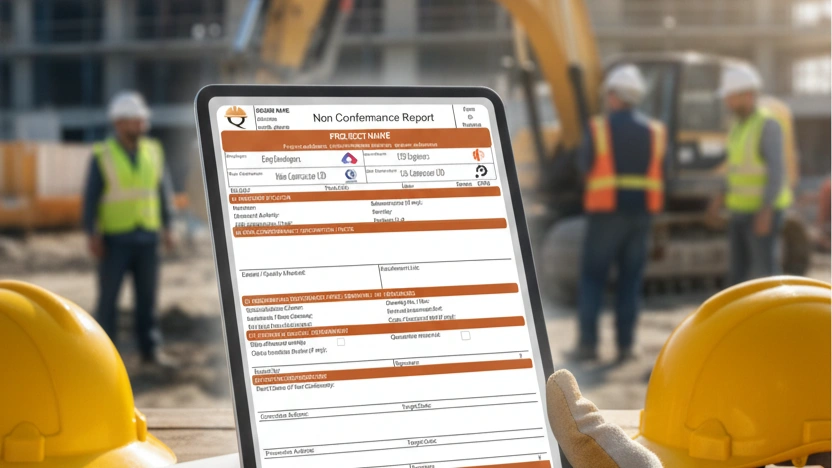
Need an NCR document for a construction project? Download the ready-to-edit form or the register used to track multiple NCRs. Both resources include printable formats.

See the form preview and instructions in the NCR Form Template guide, or the blank and filled PDF examples in the NCR Log Template guide.

What Does NCR Stand for in Construction?

NCR = Non-Conformance Report. On construction sites, it is also written as Nonconformance Report or Non-Conformity Report. It documents a verifiable departure from the agreed requirements, such as an approved drawing, specification, inspection and test plan (ITP), or relevant test acceptance criteria. Terminology and forms vary between organizations: a corrective action request or contractual notice is not necessarily the same document as an NCR.

When Should an NCR Be Issued?

Typical triggers include:

  • Failed testing: a confirmed test result that does not satisfy the applicable acceptance criteria.
  • Noncompliant workmanship: installed work that differs from approved drawings or specified tolerances.
  • Unapproved substitution or deviation: use of an unapproved material or construction method.
  • Required inspection or evidence missing: a specified hold point bypassed or required compliance records unavailable.

A rejected inspection does not automatically mean an NCR must be issued in every project. The applicable QA/QC procedure determines whether the issue requires a formal NCR, a repeat inspection, a clarification or another record.

What Information Goes on an NCR Form?

  • Identification: project, NCR number, date, issuer and responsible party.
  • Location and work: building, floor, grid, element and trade involved.
  • Nonconformance statement: exactly what was observed or measured.
  • Requirement: drawing revision, specification clause, ITP step or test criterion that was not met.
  • Evidence: photographs, results, measurements or inspection references.
  • Immediate measures: containment, protection, quarantine or other necessary controls.
  • Contractor response: proposed correction, root-cause assessment and corrective action, as required.
  • Disposition and closeout: authorized decision, evidence of correction, reinspection or retesting, and formal closure.

The free Excel/PDF NCR Form Template demonstrates these fields in a usable document.

How Does an NCR Move from Issue to Closure?

  1. Identify and record the nonconformance with measurable facts and the applicable requirement.
  2. Control the affected work where needed to prevent further nonconforming work or concealment.
  3. Submit a response explaining the proposed correction and any required cause analysis or prevention measures.
  4. Obtain the required disposition or approval before undertaking work where the approved procedure requires it.
  5. Correct and verify the work through inspection, testing and documented evidence.
  6. Close and log the NCR only when an authorized reviewer accepts the verification and records its status.
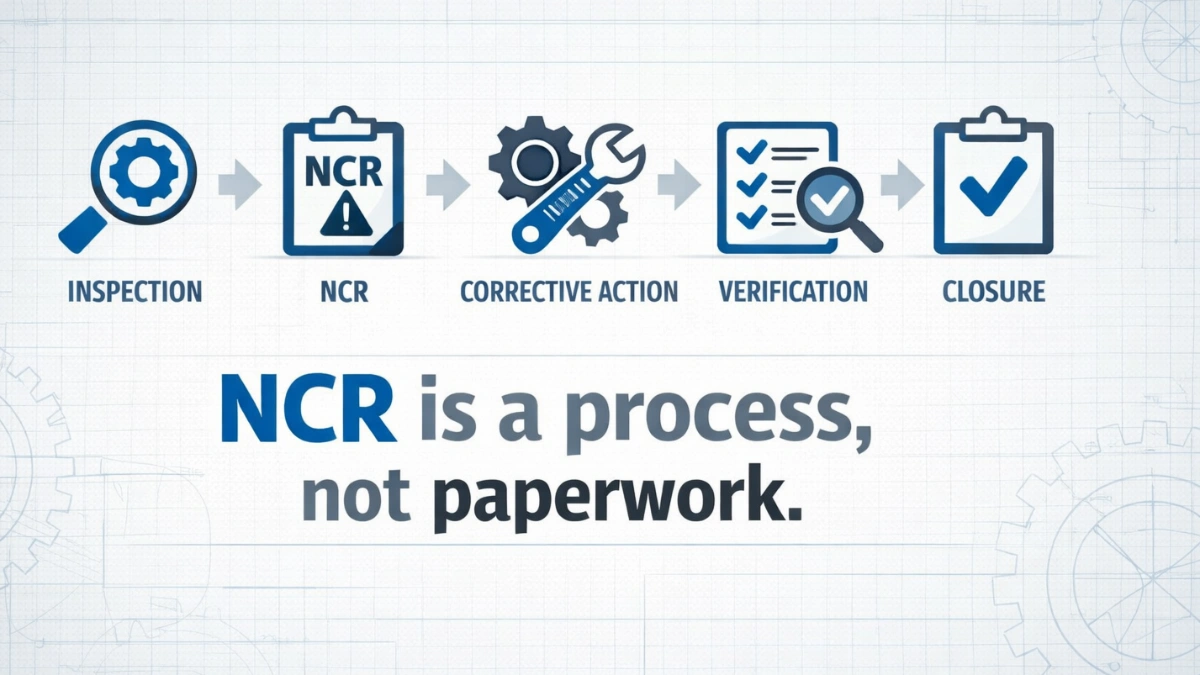
Construction NCR workflow from nonconformance identification through corrective action and verification to closure
Construction NCR workflow: issue, respond, correct, verify and close in accordance with the project quality procedure.

Example of an NCR in Construction

During inspection, reinforcement is found installed at spacing different from the approved structural drawing. A well-written NCR identifies the exact structural element and location, states the measured spacing, cites the approved drawing and revision, and attaches inspection evidence. The contractor proposes an appropriate corrective action for review; after the work is corrected, the designated inspector verifies it before closure.

“Work is unacceptable” alone is not an adequate NCR description: the record should identify the specific requirement and the observed nonconformance, without speculation or blame.

What Is the Difference Between an NCR, Observation and Snag List?

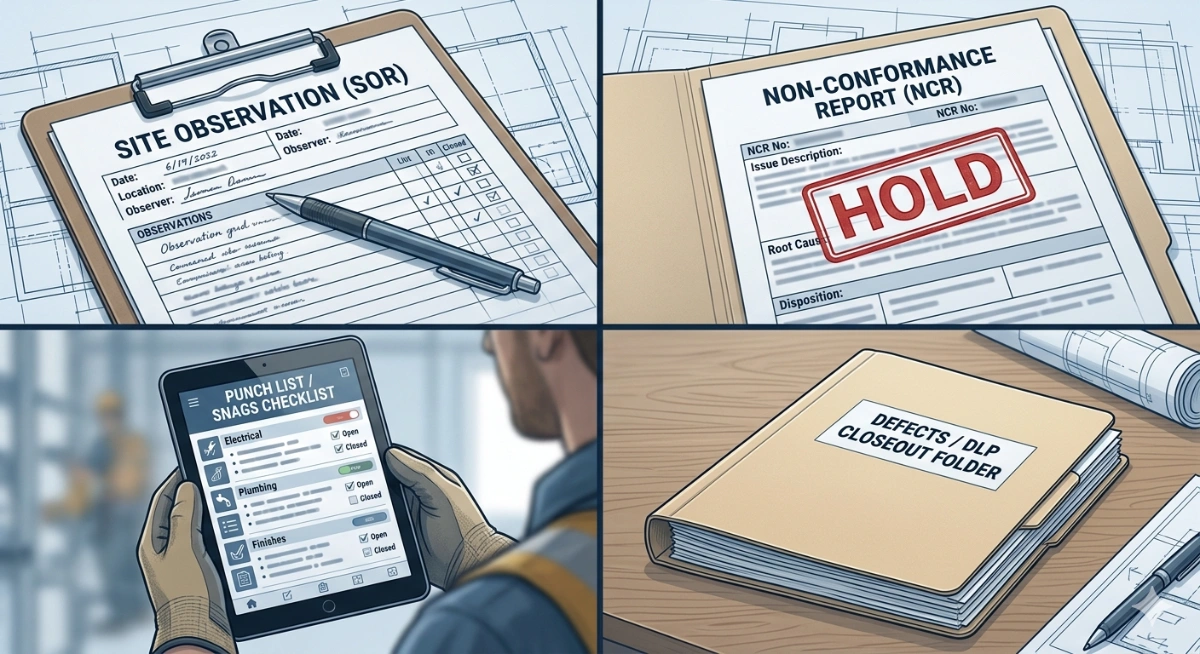
An NCR controls a recorded departure from a requirement. An observation can identify a concern that needs action or clarification, while a snag or punch-list item commonly tracks incomplete or defective work during inspections and handover. The correct record depends on the contract and project procedures. Read Observation vs NCR vs Snag vs Defect for a practical comparison.

How Do You Track Multiple NCRs?

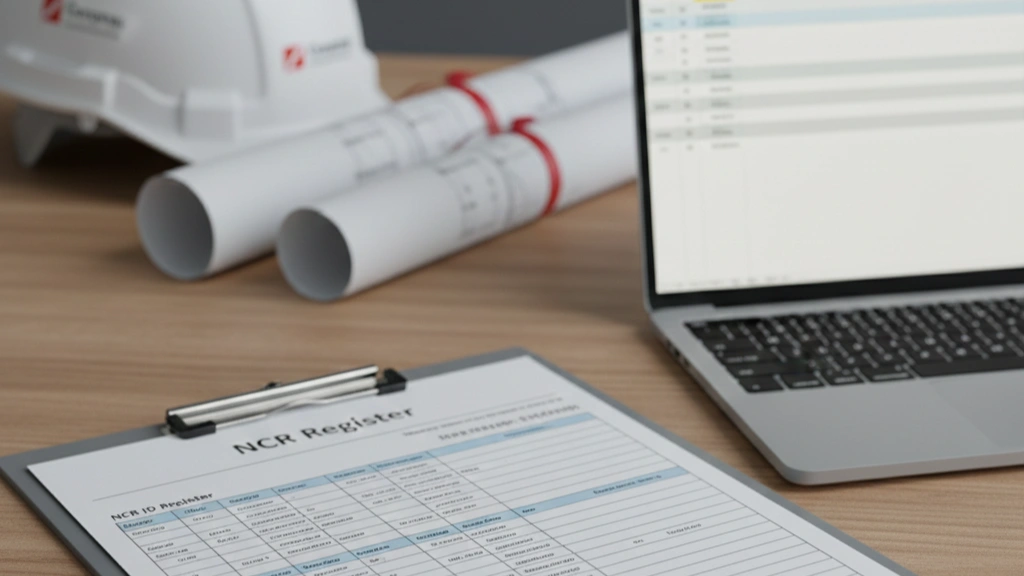
Use an NCR log (register) with one entry per NCR, including date, status, location, responsibility, target date, latest response and verified closure. A register helps QA/QC teams identify overdue cases, recurring problems and outstanding closeout actions. Download the NCR register in Excel/PDF, with a filled example.

For contractual and handover issues arising from unresolved NCRs, see Open NCRs at Taking-Over and the Defects Liability Period. An NCR record is not automatically a contractual default notice or proof of liability.


Lena Miller's photo
Lena Miller
Nov 09, 2026
1
19
64.41k+
32.92k+

NCR Meaning in Construction (QA/QC Non-Conformance Report Guide)

Frequently Asked Questions


FAQ

Q: What is the full form of NCR in construction?

A: NCR stands for Non-Conformance Report (also written Nonconformance Report), a QA/QC document used to record and control construction work or materials that do not satisfy specified requirements.

FAQ

Q: Where can I download an NCR form in Excel or PDF?

A: This page links to Quollnet's free Excel and PDF NCR form templates, which cover identification, findings, requirement references, corrective actions, verification and closure.

FAQ

Q: Is there a free NCR log or register template?

A: Yes. Quollnet provides a blank NCR register in Excel and a filled example, with additional PDF downloads on the NCR Log Template page.

FAQ

Q: When should an NCR be issued?

A: An NCR is generally used for verified noncompliance, such as failed acceptance tests, work that differs from approved drawings or unauthorized material substitutions. Follow the project's approved QA/QC procedure.

FAQ

Q: Who closes an NCR?

A: The designated authorized reviewer closes an NCR after verifying the corrective work and any required evidence under the project's procedure.

FAQ

Q: Is an NCR the same as a snag list?

A: No. An NCR formally records noncompliance with specified requirements, while snag lists commonly track incomplete or defective work during inspections and handover, though project procedures may overlap.

Related Checklists


What to Do When the Contractor Receives an NCR: Action Guide
✅ 22 items
What to do when the contractor receives an NCR is a practical, step-by-step response plan for construction teams facing a nonconformance report, non-compliance notice, or quality deviation. This checklist focuses on immediate containment, factual root cause analysis, corrective and preventive actions, and transparent closeout—without drifting into unrelated scopes. By following a structured approach, you reduce rework, avoid safety incidents, protect delivery dates, and maintain a defensible contractual position. Every step emphasizes objective evidence: calibrated measurements, annotated photos, batch numbers, inspection reports, and signatures. You will find guidance for logging, isolating affected work, coordinating hold points, and aligning with stakeholder expectations per approved project specifications and authority requirements. The result is a clear record demonstrating control of the nonconformance, verification of the fix, and prevention of recurrence. Start in interactive mode to tick items, add comments, attach files, and export your record as PDF/Excel with a QR link for quick field access.
Remediate Pile Defects Checklist: Grout or Core Repair
✅ 26 items
Remediate pile defects with a disciplined, field-proven process focused on pressure grouting or core repair, verification, and closing nonconformance reports. This checklist guides supervisors, QC engineers, and contractors through practical pile repair steps without adding new tests, relying on the approved investigation and method statement. It helps decide between pressure grouting for internal voids or core repair for localized damage, manages materials and equipment, and controls grouting pressures, volumes, and curing. You will capture photo evidence, pressure/volume logs, batch certificates, and as-built sketches to demonstrate that defective piles are restored to intent per approved project specifications and authority requirements. The scope excludes new integrity or load testing; verification depends on process records, dimensional checks, and joint inspections. Outcomes include safe, durable repairs, traceable documentation, and timely NCR closure. Use this interactive checklist to tick off actions, add field comments, and export a QR-secured PDF/Excel package for review and archiving.
Compile pile dossier for handover: QA docs checklist
✅ 24 items
Compile pile dossier for handover is your structured process for organizing and validating all pile-related documentation prior to client acceptance. This piling documentation checklist focuses on the pile QA dossier, ensuring verifiable records for installation, testing, calibrations, and as-built deliverables while explicitly excluding general foundation records such as pile caps or ground beams. By curating only pile-specific evidence—installation logs, static and dynamic load test reports, integrity test summaries, instrument calibration certificates, and NCR closures—you reduce disputes, avoid rework, and accelerate taking-over. The outcome is a clean, traceable package that demonstrates compliance per approved project specifications and authority requirements, with consistent file naming, signatures, and revision control. Practical acceptance cues, SI-based tolerances, and geo-referenced evidence help teams close gaps quickly and defend quality under audit. Use this interactive checklist to assign actions, capture photo and file attachments, add comments, and track digital sign-offs. Start ticking items, comment where needed, and export the dossier as PDF/Excel with an embedded QR code.
3D Printed Concrete Inspection Checklist: Before, During, After
✅ 32 items
3D Printed Concrete Inspection Checklist — Before, During & After Printing is a practical, field-ready QA/QC tool for extrusion-based 3D concrete printing. It helps site engineers, inspectors, and contractors verify model/file control, material traceability, printer configuration, live process parameters, and final wall geometry. Unlike conventional concrete inspection, additive construction demands evidence of process history: which print file/toolpath revision ran, which batch was used, layer timing, interruptions, and how defects were handled. This checklist focuses on extrusion continuity, bead and layer geometry, alignment, buildability, and curing, while documenting reinforcement and embeds before concealment. Acceptance references the approved project specification, qualified printing system, method/procedure, ITP, manufacturer/system requirements, applicable codes/standards, and structural design—never universal limits. Use it to keep work within Hold/Witness/Surveillance points, log deviations, and support WIRs and NCRs where defined requirements are breached. Start in interactive mode to tick items, add comments, attach photos, and export PDF/Excel with a QR-secured record.
Repair Driven Pile Heads/Splices: Weld, QA and Coating
✅ 22 items
Repair driven pile heads/splices is a focused jobsite process to restore integrity of driven steel pile heads and welded splices after driving. This checklist addresses pile head repair, pile splice welding, weld rectification, protective coating application, and QA records. It explicitly excludes driving logs and production data, concentrating instead on defect identification, alignment and fit-up, qualified welding, nondestructive testing, and corrosion protection. By following these steps, teams reduce structural risk from crack propagation, misalignment, and coating failure, while creating a defensible audit trail. Each instruction pairs a method or tool with acceptance evidence—measurements in millimetres, temperature readings, NDT reports, coating thicknesses, photos, material heat numbers, and signatures—per approved project specifications and authority requirements. Use this checklist to organize work zones, capture approvals, and prevent rework, ensuring consistent, traceable repairs that stand up to independent review. Start in interactive mode to tick tasks, add comments, and export PDF/Excel with a secure QR for field sign-off.

Related Articles


Ncr At Handover
⏳ 5 min read
Open Ncrs At Taking-over / Dlp: What Happens At Handover And How To Escalate
Can taking-over happen with open NCRs? Learn when handover is allowed, when it must be blocked, how to document outstanding NCRs, and when to escalate to contractual notices (e.g., Notice to Correct) through common contract authorities.
Ncr Log Template E46
⏳ 2 min read
Ncr Log Template (register & Ncr Tracker) – Excel/pdf Download
Download an NCR log template (NCR register) to track non-conformance reports by ID, date, status, location, references, actions, and closure. Includes an empty template and a filled example in Excel and PDF.
Observation Vs Ncr Vs Snag Vs Defect 071
⏳ 6 min read
Observation Vs Ncr Vs Snag Vs Defect In Construction: When To Use Each Record
Learn the difference between an Observation (SOR), NCR, Snag/Punch List, and Defect (DLP). Use the right record at the right time, prevent observations from escalating into NCRs, and understand how payment, handover, and contractual notices are affected.
Construction Defects Register Template
⏳ 2 min read
Construction Defects Log Template — Free Excel Defect Register
Download a compact construction defects log for Engineer-to-Contractor or Contractor-to-Subcontractor QA/QC findings and linked observation, NCR and notice references.
Ncr Form Template
⏳ 4 min read
Ncr Form Template (excel/pdf) – Non-conformance Report Format
Download a practical NCR form template used on construction projects. Includes key fields for QA/QC non-conformance description, specification references, corrective action, verification, and closure.