Inspect façade handover documentation and test certificates for completeness
Definition: Inspect façade handover documentation and test certificates for completeness using a structured, audit-ready workflow tailored for contractors, consultants, and owners overseeing building envelope closeout.
- Confirm every required document, certificate, and approval is present.
- Validate dates, signatures, batch traceability, and result thresholds.
- Cross-reference drawings, tests, and warranties for coherent records.
- Interactive, commentable, export-ready checklist with QR code security.
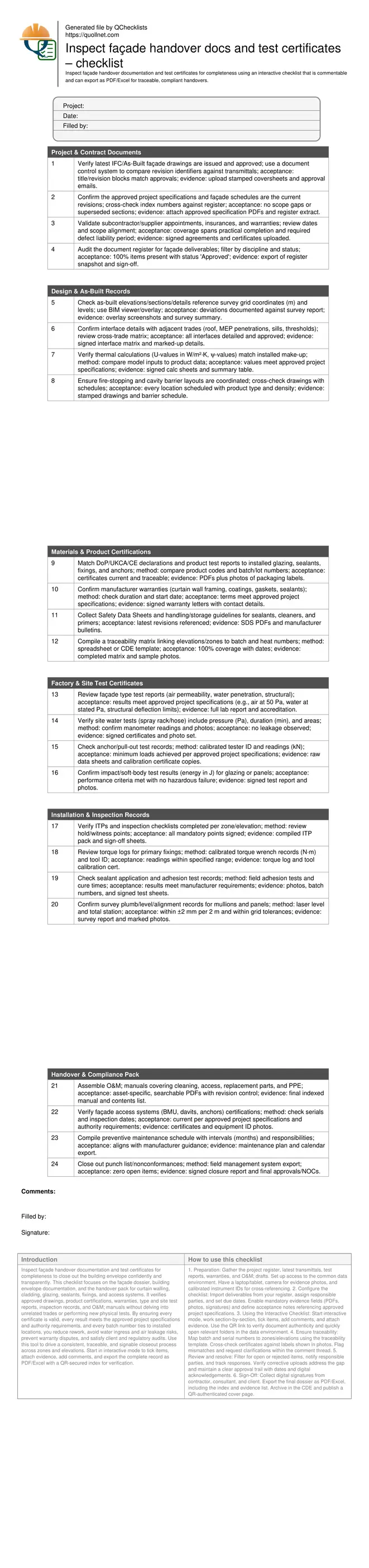
Inspect façade handover documentation and test certificates for completeness to close out the building envelope confidently and transparently. This checklist focuses on the façade dossier, building envelope documentation, and the handover pack for curtain walling, cladding, glazing, sealants, fixings, and access systems. It verifies approved drawings, product certifications, warranties, type and site test reports, inspection records, and O&M manuals without delving into unrelated trades or performing new physical tests. By ensuring every certificate is valid, every result meets the approved project specifications and authority requirements, and every batch number ties to installed locations, you reduce rework, avoid water ingress and air leakage risks, prevent warranty disputes, and satisfy client and regulatory audits. Use this tool to drive a consistent, traceable, and signable closeout process across zones and elevations. Start in interactive mode to tick items, attach evidence, add comments, and export the complete record as PDF/Excel with a QR-secured index for verification.
- Establishes a single source of truth for façade closeout by aligning approved drawings, materials certifications, factory/site test reports, inspection records, and warranties. Reduces risk of leakage, non-compliance, and rework by verifying validity, signatures, and specification conformance across all documents.
- Builds traceability from batch and heat numbers to installed locations and zones, linking photos, calibration IDs, and witness signatures. Ensures results for air permeability, water penetration, structural performance, and impact tests are present, readable, and match the project’s acceptance thresholds.
- Streamlines client acceptance by packaging searchable O&M manuals, maintenance schedules, and training records alongside approvals and nonconformance closures. Produces a clean, auditable dossier ready for authority review and long-term operations with clear responsibilities and dates.
- Interactive online checklist with tick, comment, and export features secured by QR code.
Project & Contract Documents
Design & As-Built Records
Materials & Product Certifications
Factory & Site Test Certificates
Installation & Inspection Records
Handover & Compliance Pack
Define completeness and prevent costly post-handover surprises
Completeness means every façade closeout requirement is present, approved, and traceable: current drawings, specifications, product certifications, type and site test reports, inspection records, warranties, O&M manuals, and approvals. Start with a master register and reconcile against transmittals to eliminate gaps or superseded documents. Confirm signatures, dates, and accreditation on certificates; check that results satisfy the approved project specifications and authority requirements. Link batch and serial numbers to installed locations so product performance evidence aligns with what is actually on the façade. Typical risks from incomplete dossiers include water ingress disputes, delayed occupancy, warranty rejections, and unplanned rework. A disciplined review sequence—contract, design, materials, tests, installation, handover—keeps focus and reduces noise. Use consistent file naming, searchable PDFs, and a clear index to help clients operate and maintain the asset long term without ambiguity or repeated queries.
- Work from a single, version-controlled master register.
- Ensure every certificate has dates, signatures, and accreditation.
- Trace batches to installed zones and elevations.
- Verify results meet project acceptance thresholds.
- Use searchable PDFs and a clear index.
Interpreting façade test certificates with confidence
Façade performance certificates should clearly state the specimen, configuration, standards referenced by the lab, test pressures, durations, measurement uncertainty, and pass/fail criteria. For air permeability, look for results reported in m³/(h·m²) at specified Pa; for water penetration, review static/dynamic pressures (Pa) and durations (min). Structural tests should show deflections (mm), residual set, and safety factors; impact tests state energy in joules and post-impact condition. Confirm lab accreditation, certificate number, date, and any deviations from the approved test plan. Site tests must include calibrated instrument IDs and photos of set-ups and outcomes. Cross-check that tested assemblies match the installed make-up and that any substitutions were requalified. When in doubt, request clarifications in writing and log responses within the dossier to preserve a clear audit trail.
- Match tested assembly to installed configuration.
- Check units: Pa, m³/(h·m²), mm, J, min.
- Verify lab accreditation and calibration IDs.
- Record deviations and approvals in writing.
Build a durable, client-ready façade handover pack
Clients need more than a stack of PDFs; they need a navigable, durable record. Structure the dossier into logical sections—contract/design, materials, tests, installation, and O&M—each with a numbered index. Include a traceability matrix linking zones and elevations to batch numbers, inspection points, and photo evidence. Convert scans to OCR, enforce consistent naming, and embed bookmarks for quick retrieval. Maintenance content should specify safe access, cleaning agents, replacement parts, and inspection intervals in months. Close all nonconformances with root cause and corrective evidence before final sign-off. Export the entire pack as PDF/Excel and store in the common data environment with immutable versioning. Add a QR-secured cover page that opens the authoritative online index so field teams and auditors can confirm authenticity anytime.
- Use a numbered, bookmarked index per section.
- Apply OCR and consistent file naming.
- Include a batch-to-location traceability matrix.
- Close all nonconformances before sign-off.
- Add a QR-secured cover page link.
How to use this façade handover documentation checklist
- Preparation: Gather the project register, latest transmittals, test reports, warranties, and O&M drafts. Set up access to the common data environment. Have a laptop/tablet, camera for evidence photos, and calibrated instrument IDs for cross-referencing.
- Configure the checklist: Import deliverables from your register, assign responsible parties, and set due dates. Enable mandatory evidence fields (PDFs, photos, signatures) and define acceptance notes referencing approved project specifications.
- Using the Interactive Checklist: Start interactive mode, work section-by-section, tick items, add comments, and attach evidence. Use the QR link to verify document authenticity and quickly open relevant folders in the data environment.
- Ensure traceability: Map batch and serial numbers to zones/elevations using the traceability template. Cross-check certificates against labels shown in photos. Flag mismatches and request clarifications within the comment thread.
- Review and resolve: Filter for open or rejected items, notify responsible parties, and track responses. Verify corrective uploads address the gap and maintain a clear approval trail with dates and digital acknowledgements.
- Sign-Off: Collect digital signatures from contractor, consultant, and client. Export the final dossier as PDF/Excel, including the index and evidence list. Archive in the CDE and publish a QR-authenticated cover page.
Call to Action
- Start Checklist Tick off tasks, leave comments on items or the whole form, and export your completed report to PDF or Excel—with a built-in QR code for authenticity.
- Download Excel - Façade Handover Documentation & Certificates Inspection
- Download PDF - Façade Handover Documentation & Certificates Inspection
- View Image - Façade Handover Documentation & Certificates Inspection
Cite & Embed
“Façade Handover Documentation & Certificates Inspection by Quollnet”
with a link to
this source page.
FAQ
Question: What documents are essential for a complete façade handover dossier?
Question: How do I verify the authenticity of façade test certificates?
Question: What if some site test results are missing or below specification?
Question: How long should façade documentation be retained after handover?
Question: Do I need BIM models to complete this documentation review?
Related Articles
Broader reading and guidance connected to this checklist topic.

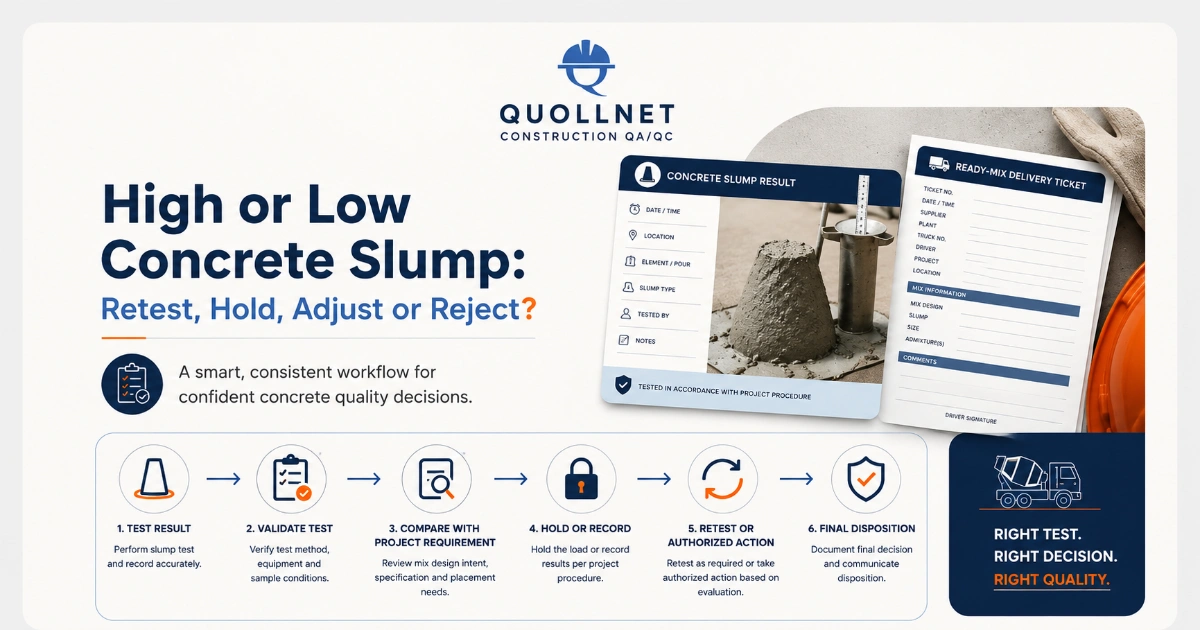
High Or Low Concrete Slump: Retest, Hold, Adjust Or Reject?
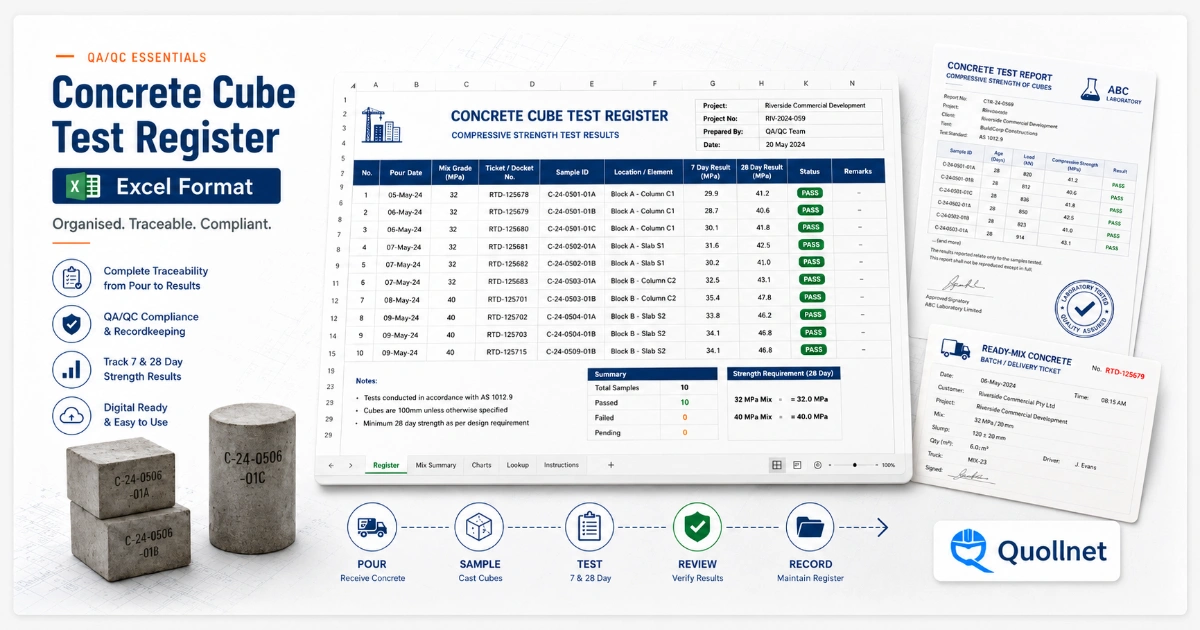
Concrete Cube Test Register Excel Format – Pdf & Excel Sample


Related Checklists
Keep the workflow moving with nearby templates chosen from similar checklist content.