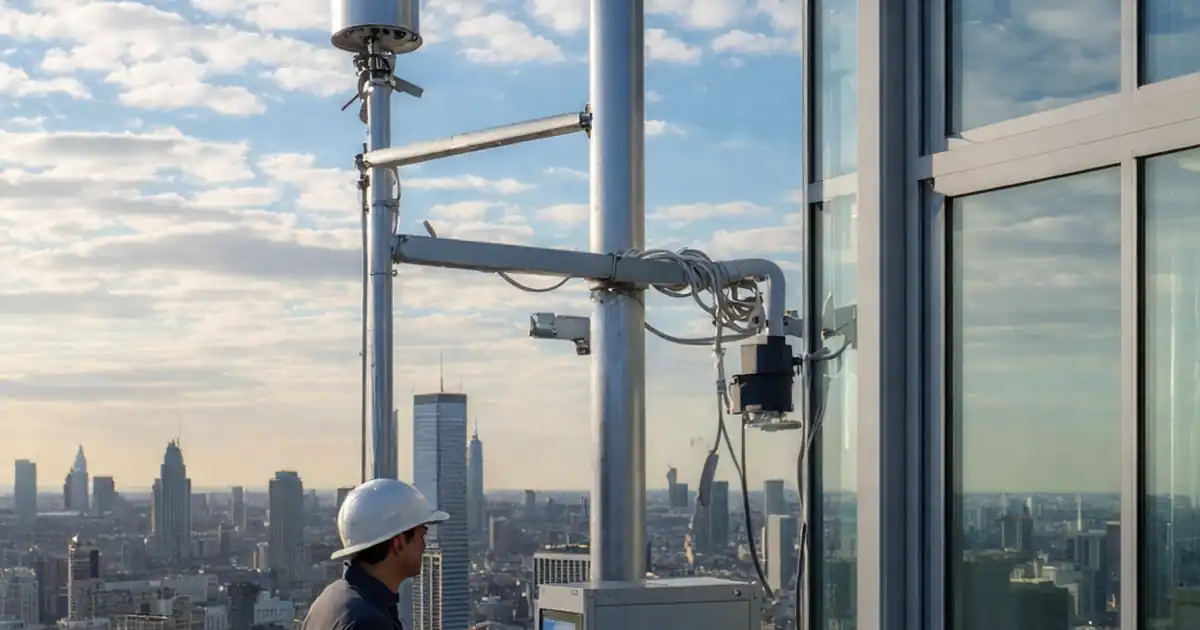
Test dynamic façade response to sun-tracking control sequences
Definition: Test dynamic façade response to sun-tracking control sequences is a commissioning and QA checklist for façade engineers, BMS integrators, and site managers validating automated shading behavior, timing, and safety interlocks.
- Verify sensors, timebase, and ephemeris against independent references and tolerances.
- Simulate morning, midday, and afternoon sun paths; confirm accurate actuation.
- Validate overrides for wind, fire, and manual control with evidence logs.
- Interactive, commentable, export options with QR code for authenticated records.
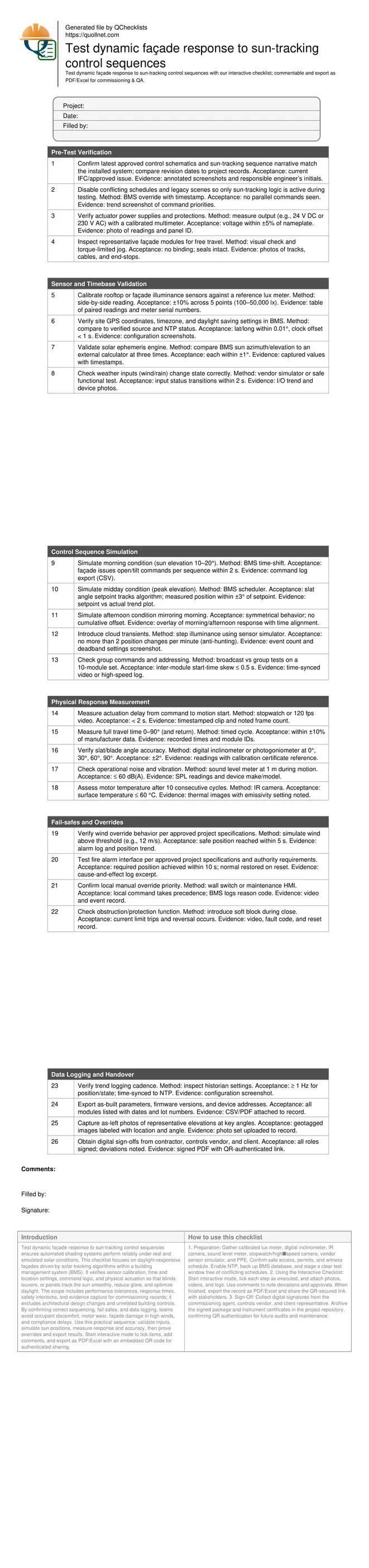
Test dynamic façade response to sun-tracking control sequences ensures automated shading systems perform reliably under real and simulated solar conditions. This checklist focuses on daylight-responsive façades driven by solar-tracking algorithms within a building management system (BMS). It verifies sensor calibration, time and location settings, command logic, and physical actuation so that blinds, louvers, or panels track the sun smoothly, reduce glare, and optimize daylight. The scope includes performance tolerances, response times, safety interlocks, and evidence capture for commissioning records; it excludes architectural design changes and unrelated building controls. By confirming correct sequencing, fail-safes, and data logging, teams avoid occupant discomfort, motor wear, façade damage in high winds, and compliance delays. Use this practical sequence: validate inputs, simulate sun positions, measure response and accuracy, then prove overrides and export results. Start interactive mode to tick items, add comments, and export as PDF/Excel with an embedded QR code for authenticated sharing.
- Deliver a repeatable commissioning method that aligns sensors, timebase, and control logic with verified solar ephemeris. Capture timings, position accuracy, and energy-safe behavior under transient clouds and varying irradiance to prevent glare, reduce actuator wear, and protect façades during wind or alarm events.
- Demonstrate measurable performance: actuation delay under 2 s, slat angle accuracy within ±2°, synchronized group response, and stable behavior under cloud passages. Record evidence with photos, videos, instrument readings, and BMS logs to satisfy project specifications and stakeholder acceptance.
- Interactive online checklist with tick, comment, and export features secured by QR code.
Pre-Test Verification
Sensor and Timebase Validation
Control Sequence Simulation
Physical Response Measurement
Fail-safes and Overrides
Data Logging and Handover
Establish reliable inputs and aligned timebase
Dynamic, sun-tracking façades are only as accurate as their inputs. Begin by confirming sensor calibration and the system clock against trustworthy references, then validate the solar ephemeris used to calculate azimuth and elevation. Small errors in latitude, timezone, or clock drift can translate into repeated daily misalignment, glare, and occupant complaints. Independent verification at morning, midday, and afternoon proves that the BMS algorithm is computing the sun’s position correctly before you stress actuators. Pair this with a quick mechanical health check to avoid attributing mechanical faults to software logic. On live projects, a 1 s clock offset or a 0.02° coordinate error has created several degrees of tracking error at the window line. With inputs and timebase controlled, subsequent sequence tests become conclusive, evidence-rich, and repeatable across elevations and orientations. Always document settings, reference instruments, and environmental conditions in the record to enable later audits, warranty support, and regression testing after software updates.
- Calibrate sensors with a traceable reference lux meter.
- Verify GPS, timezone, NTP, and daylight saving settings.
- Check solar azimuth/elevation within ±1° at three times.
- Inspect mechanical travel before sequence testing.
- Capture screenshots and photos as persistent evidence.
Prove sequence logic and physical response
Once inputs are sound, simulate the day. Use controlled morning, peak, and afternoon conditions to confirm that commands are issued promptly and that blades achieve setpoints within tolerance. Trend both setpoint and measured angle to expose drift or backlash. Measure actuation delay and full-travel time to quantify responsiveness. Introduce cloud transients to verify anti-hunting deadbands and rate limits that prevent rapid cycling and motor wear. Validate group control to ensure uniform appearance across a bay; even 0.5 s skew is visible on glass. Field teams often reveal hidden priority conflicts when a legacy scene still asserts control; resolve these before formal witnessing. Record all readings, videos, and logs with timestamps so stakeholders can re-create findings after handover, or when software patches modify behavior later.
- Simulate sun positions; verify prompt commands.
- Confirm blade angles within ±2° of setpoint.
- Trend setpoint vs actual to detect drift.
- Limit repositioning to ≤ 2 changes per minute.
- Keep inter-module skew ≤ 0.5 s.
Validate safety, overrides, and documentation
Safety and compliance depend on predictable overrides. Prove wind protection moves façades to a safe position quickly and restores normal tracking when the hazard clears, per approved project specifications. Test fire alarm behavior with the responsible party witnessing, and document the cause-and-effect. Confirm local manual stations can take priority for maintenance without leaving the BMS unaware. Verify obstruction detection to avoid damage. Finally, check data logging cadence and export all as-built details—firmware versions, device addresses, and settings—so that future maintenance can diagnose issues without guesswork. Attach photos and videos of representative bays from multiple elevations to demonstrate consistent performance. Archive results in an authenticated repository and link the signed record via a QR code for quick field retrieval during operations and audits.
- Demonstrate wind and fire overrides as specified.
- Verify manual priority and logged reason codes.
- Test obstruction detection and safe reversal.
- Trend at ≥ 1 Hz with synchronized timestamps.
- Export versions, addresses, and parameter sets.
How to Use This Interactive Sun-Tracking Façade Test
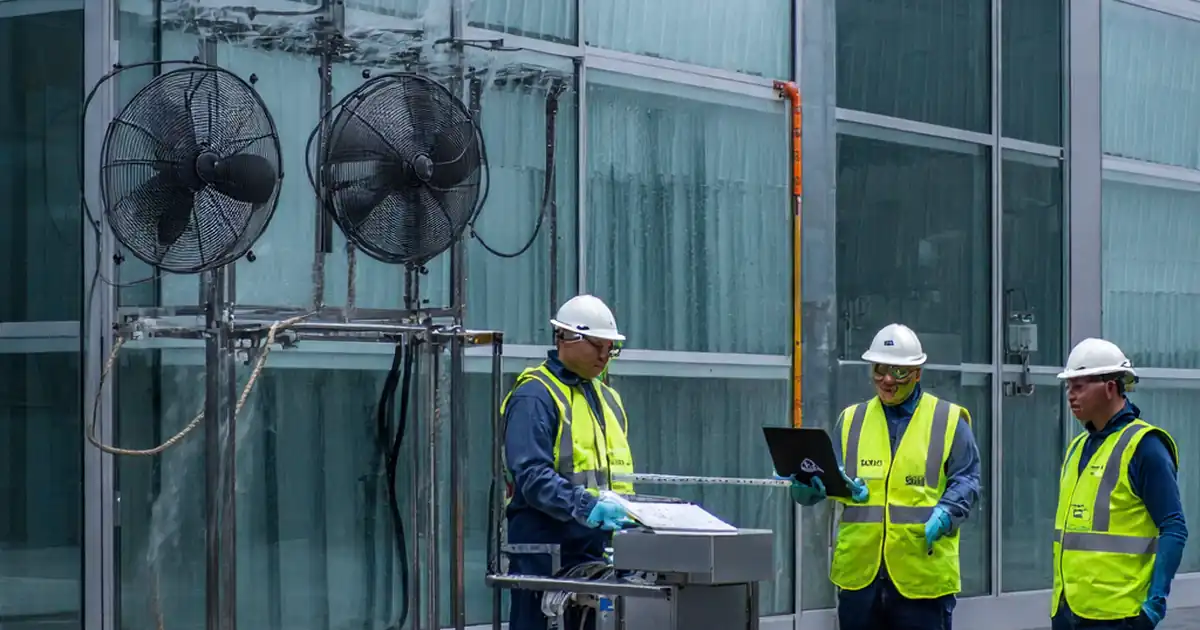
- Preparation: Gather calibrated lux meter, digital inclinometer, IR camera, sound level meter, stopwatch/high‑speed camera, vendor sensor simulator, and PPE. Confirm safe access, permits, and witness schedule. Enable NTP, back up BMS database, and stage a clear test window free of conflicting schedules.
- Using the Interactive Checklist: Start interactive mode, tick each step as executed, and attach photos, videos, and logs. Use comments to note deviations and approvals. When finished, export the record as PDF/Excel and share the QR-secured link with stakeholders.
- Sign-Off: Collect digital signatures from the commissioning agent, controls vendor, and client representative. Archive the signed package and instrument certificates in the project repository, confirming QR authentication for future audits and maintenance.
Call to Action
- Start Checklist Tick off tasks, leave comments on items or the whole form, and export your completed report to PDF or Excel—with a built-in QR code for authenticity.
- Download Excel - Dynamic Façade Sun-Tracking Response Test
- Download PDF - Dynamic Façade Sun-Tracking Response Test
- View Image - Dynamic Façade Sun-Tracking Response Test
Cite & Embed
“Dynamic Façade Sun-Tracking Response Test by Quollnet”
with a link to
this source page.

FAQ
Question: How do I verify the sun-tracking algorithm without waiting all day?
Question: What instruments are essential for measuring façade response accurately?
Question: How can I prevent hunting when clouds cause rapid light changes?
Question: Which overrides must be demonstrated for stakeholder acceptance?
Related Articles
Broader reading and guidance connected to this checklist topic.

Advanced High-rise Fire Safety: Drones & Modern Equipment
Is It Important To Customize Your Qr Code And How To Do It?
Slump Test Vs Slump Flow Test: When To Use Each

Backcharge Notice Template For Construction Subcontractors
Related Checklists
Keep the workflow moving with nearby templates chosen from similar checklist content.