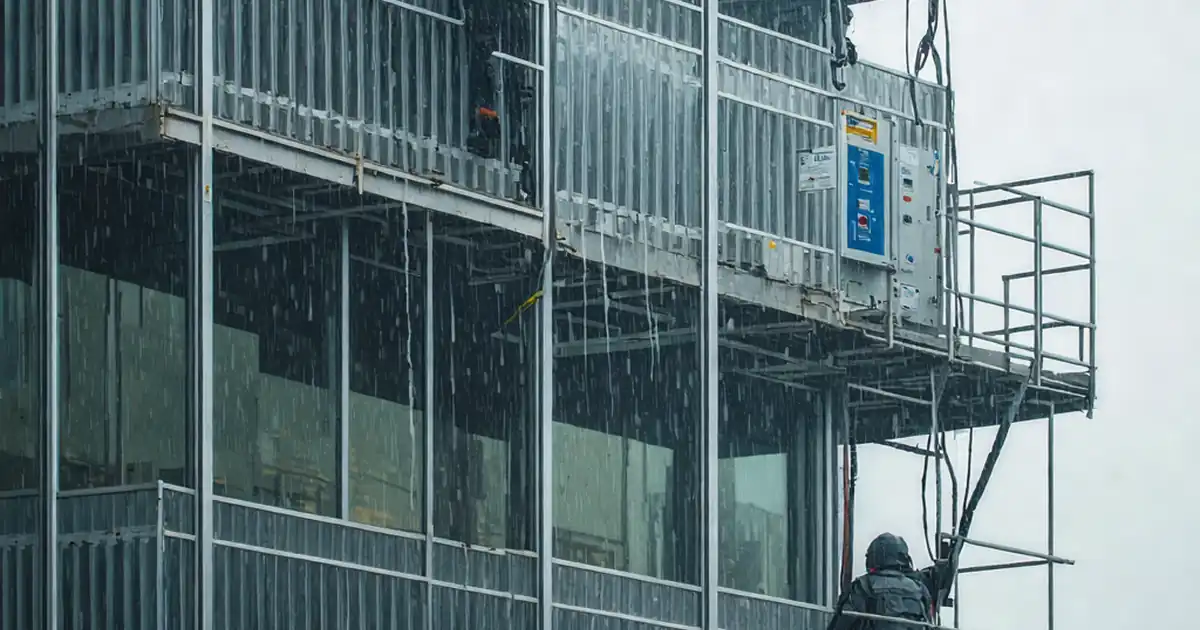
Inspect Dynamic Façade Louver Synchronization and Control Logic
Definition: Inspect dynamic façade louver synchronization and control logic for commissioning, operations, and quality teams, defining tests, tolerances, and evidence to verify safe, coordinated motion and robust automation under real environmental conditions.
- Verify time sync, priorities, and safety overrides across controllers.
- Test mechanical alignment and actuator response within defined tolerances.
- Validate sensor calibration, sun-tracking logic, and environmental cut-outs.
- Interactive, commentable checklist; export reports with secure QR code.
Inspect dynamic façade louver synchronization and control logic. This checklist guides commissioning engineers, controls integrators, and operations teams through end‑to‑end validation of automated shading systems, including BMS integration, actuator alignment, time synchronization, and safety overrides. It focuses on coordinated group movement, accurate sensor inputs, and deterministic control sequences that respect environmental cut‑outs and priority hierarchies. By following these steps, you’ll reduce nuisance alarms, prevent actuator strain, and avoid occupant discomfort or energy penalties. Network timing, BACnet object mapping, sun‑tracking algorithms, and fail‑safe behavior are verified against measurable tolerances with clear evidence requirements. Mechanical checks ensure louvers move uniformly, stop reliably, and remain within acoustic and vibration limits. The outcome is a dependable façade control platform that responds predictably to wind, rain, irradiance, and schedules while maintaining maintainable records. Use this interactive checklist to tick items, add comments, and export to PDF/Excel with a QR-secured audit trail.
- Ensure uniform louver motion and reliable automation by validating time synchronization, network health, priority handling, and sensor accuracy. Practical tolerances and clear acceptance criteria prevent drift, chatter, and unsafe states during wind, rain, and power events.
- Prove group synchronization by testing staged moves, sun‑tracking setpoints, and fault recovery. Trend logs, screenshots, and calibrated readings create verifiable evidence that supports commissioning, authority review, and future root‑cause analysis.
- Interactive online checklist with tick, comment, and export features secured by QR code.
- Reduce lifecycle risk with structured tests for end stops, actuator torque, vibration, and acoustic levels. Operators gain a stable baseline with backed‑up parameters, consistent naming, SI units, and documented schedules and holidays.
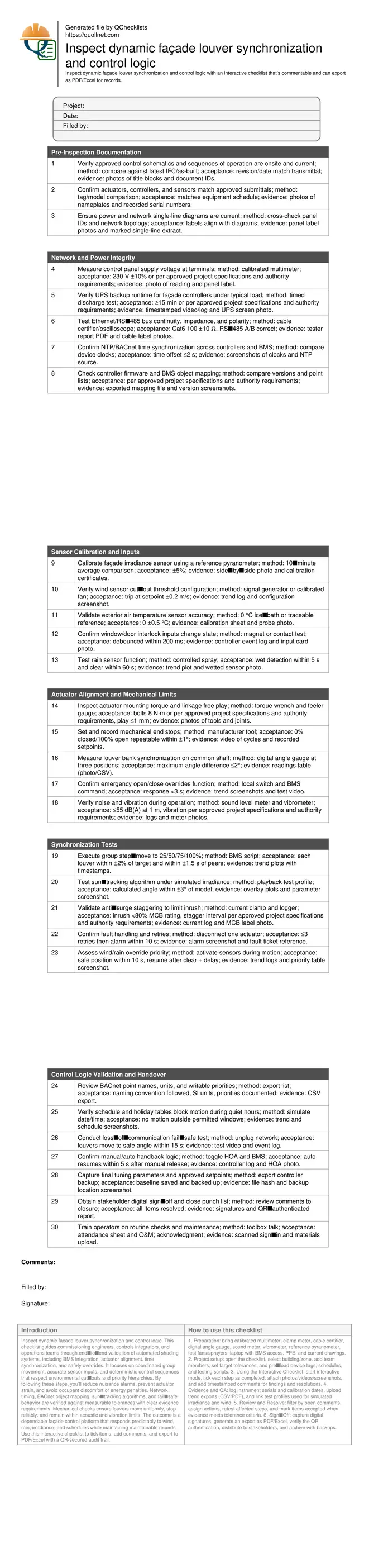
Pre-Inspection Documentation
Network and Power Integrity
Sensor Calibration and Inputs
Actuator Alignment and Mechanical Limits
Synchronization Tests
Control Logic Validation and Handover
Time Synchronization, Networking, and Priority Control
Reliable dynamic façade performance begins with deterministic timing and robust communications. Network health ensures commands and feedback are delivered without jitter, while time synchronization underpins group moves and scheduled behaviors. Use certified cabling and verify RS‑485 polarity to prevent intermittent faults. Align controller clocks via NTP so event timestamps and BMS trends correlate within seconds. Validate BACnet object mapping and writable priorities so environmental overrides (wind/rain), safety interlocks, and operator commands act predictably. Real jobsites often reveal drifted clocks or mis‑prioritized points, causing louvers to hunt or ignore cut‑outs. Establish acceptance limits for voltage stability, bus impedance, and time offsets. Capture screenshots of device times, export point lists, and archive network test reports. These artifacts help resolve disputes and speed authority reviews. Prioritize verification before mechanical tuning to avoid chasing false synchronization problems caused by communications noise or mismatched priorities.
- Certify cabling and verify RS‑485 polarity early.
- Keep device clocks within a 2‑second offset.
- Document BACnet names, units, and priorities.
- Record voltage, impedance, and time evidence.
- Fix comms issues before mechanical tuning.
Sensors, Interlocks, and Environmental Overrides
Sensor accuracy drives correct louver positioning and safe cut‑outs. Calibrate irradiance sensors with a traceable pyranometer and confirm wind thresholds using a generator or calibrated fan. Validate temperature probes in an ice‑bath or against a traceable reference. Test rain detection with a controlled spray and time response and clear‑delay logic. Confirm door/window contacts debounce reliably so manual access does not fight automation. In practice, mis‑calibrated wind sensors or sticky rain contacts can lock louvers in safe mode for days. Establish tolerances for each sensor and record certificates. Trend logs during simulated events to prove overrides pre‑empt sun‑tracking and scheduled moves. This preserves equipment, protects occupants, and reduces nuisance calls.
- Calibrate sensors with traceable instruments.
- Trend during simulated wind and rain events.
- Confirm debounce times on interlocks.
- Record certificates and photos for each device.
Mechanical Alignment, Group Sync, and Evidence Collection
Even perfect logic fails if mechanics are misaligned. Set end stops with manufacturer tools and verify repeatability within tight angular tolerances. Check actuator mounting torque and linkage play to prevent chatter and uneven wear. Measure synchronization across louver banks using a digital angle gauge; small deltas compound into visible misalignment at the façade. Validate group step‑moves and sun‑tracking under simulated conditions, then observe acoustic and vibration limits during full travel. Log current to confirm staggering reduces inrush and avoids breaker trips. Document everything: photos of gauges, videos of cycles, and trend plots with timestamps. This evidence proves compliance, supports warranty, and gives operations teams a clean baseline for future adjustments.
- Set end stops and confirm repeatability.
- Measure angle deltas across multiple points.
- Monitor current to validate staggering.
- Record noise and vibration limits achieved.
- Capture videos and time‑stamped trends.
How to Use This Interactive Checklist
- Preparation: bring calibrated multimeter, clamp meter, cable certifier, digital angle gauge, sound meter, vibrometer, reference pyranometer, test fans/sprayers, laptop with BMS access, PPE, and current drawings.
- Project setup: open the checklist, select building/zone, add team members, set target tolerances, and pre‑load device tags, schedules, and testing scripts.
- Using the Interactive Checklist: start interactive mode, tick each step as completed, attach photos/videos/screenshots, and add timestamped comments for findings and resolutions.
- Evidence and QA: log instrument serials and calibration dates, upload trend exports (CSV/PDF), and link test profiles used for simulated irradiance and wind.
- Review and Resolve: filter by open comments, assign actions, retest affected steps, and mark items accepted when evidence meets tolerance criteria.
- Sign‑Off: capture digital signatures, generate an export as PDF/Excel, verify the QR authentication, distribute to stakeholders, and archive with backups.
Call to Action
- Start Checklist Tick off tasks, leave comments on items or the whole form, and export your completed report to PDF or Excel—with a built-in QR code for authenticity.
- Download Excel - Dynamic Façade Louver Synchronization & Control Inspection
- Download PDF - Dynamic Façade Louver Synchronization & Control Inspection
- View Image - Dynamic Façade Louver Synchronization & Control Inspection
Cite & Embed
“Dynamic Façade Louver Synchronization & Control Inspection by Quollnet”
with a link to
this source page.
FAQ
Question: What tolerance should I use for louver group synchronization?
Question: How do I simulate sun and wind conditions safely on site?
Question: Why is NTP time synchronization important for façade louvers?
Question: What evidence is most valuable for authority and warranty reviews?
Related Articles
Broader reading and guidance connected to this checklist topic.
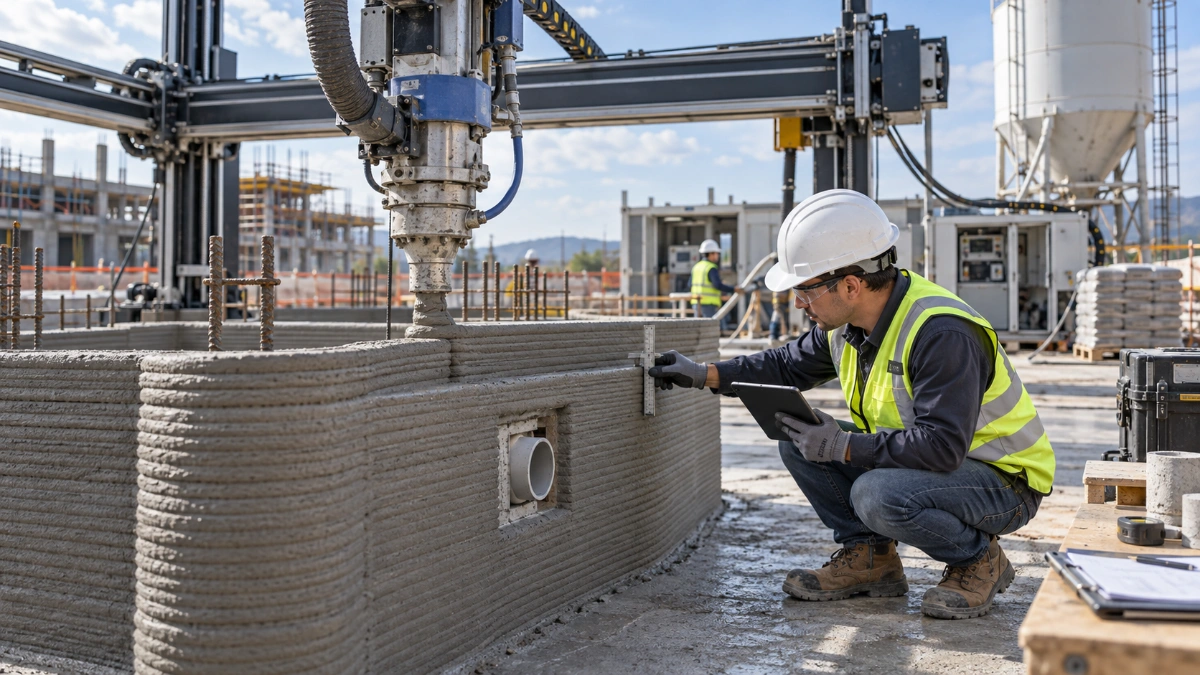
3d Printed Concrete Qa/qc: Inspection, Process Control & Acceptance



Related Checklists
Keep the workflow moving with nearby templates chosen from similar checklist content.