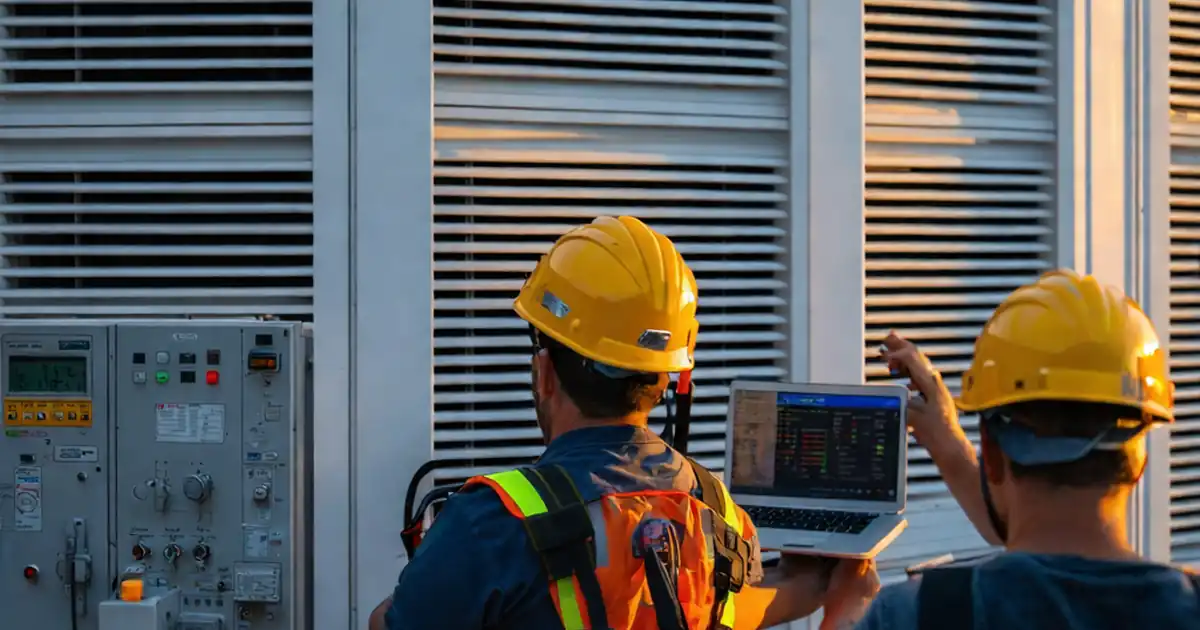
Test dynamic façade manual override and emergency stop functionality
Definition: Test dynamic façade manual override and emergency stop functionality for commissioning teams and facility operators, confirming local bypass, fail-safe stops, and BMS isolation with timed responses, electrical readings, and tamper-proof evidence capture.
- Clarifies prerequisites, lockout boundaries, and stakeholder notifications before testing.
- Validates local override stations and actuator behavior within defined response times.
- Confirms emergency stop circuits isolate power and motion safely and reliably.
- Interactive, commentable, export, QR code for authenticated records.
Test dynamic façade manual override and emergency stop functionality is a focused commissioning and safety procedure for motorized louvers, blinds, and shading panels. It verifies manual bypass at local control stations, confirms emergency stop (E-stop) isolation, and proves safe behavior when the building management system (BMS) is disconnected. This checklist confines scope to the on-unit and panel-level controls of dynamic façade actuators, excluding façade access equipment and structural testing. By executing controlled “Open/Stop/Close” sequences, mid-travel holds, and deliberate power-loss scenarios, teams avoid uncontrolled motion, entrapment risks, and façade damage. Defined response times, voltage measurements, and event logs provide clear acceptance criteria and traceable evidence. Use this page to plan prerequisites, coordinate notifications, and document each step with photos, readings, and signatures. Start in interactive mode to tick items, add comments, and assign actions; then export as PDF/Excel with a secure QR for audit trails.
- Reduce risk by proving local manual override works independently of BMS and network controls. Measure travel times, verify limit-switch changes, and capture photos and multimeter readings. Prevent unintended movement, equipment damage, and occupant disruption with clear acceptance thresholds and documented evidence.
- Validate emergency stop performance by demonstrating power removal to drives within 1 second during motion, system-wide halt across grouped façades, and restart inhibition while E-stop remains latched. Confirm proper reset, alarms, and event logging, securing a dependable fail-safe that operators can trust.
- Interactive online checklist with tick, comment, and export features secured by QR code.
- Accelerate handover with a structured test record: timestamps, device IDs, voltages, travel times, photos, signatures, and calibration certificates. Export a clean PDF/Excel pack for review and archive, supporting warranty activation and ongoing operations training with reliable, searchable data.
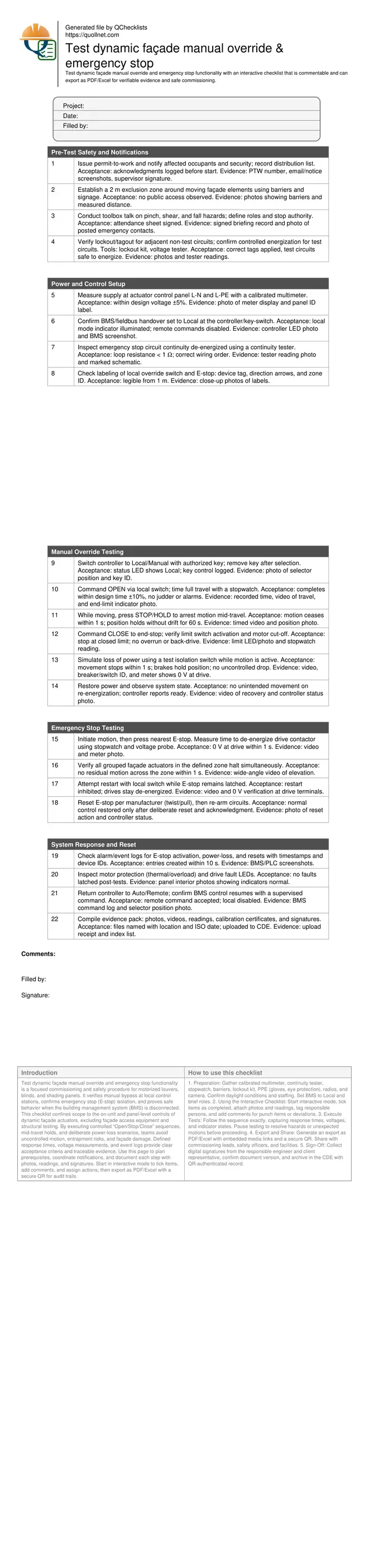
Pre-Test Safety and Notifications
Power and Control Setup
Manual Override Testing
Emergency Stop Testing
System Response and Reset
Safety-first setup and boundaries before testing
Pre-test preparation defines safe boundaries and communication lines. Establish a 2 m exclusion zone around moving façade elements and brief all roles on stop authority and radio channels. Confirm that adjacent systems are safely locked out and that test circuits are energized only under control of the commissioning lead. Verify supply voltage with a calibrated multimeter and label all local controls and emergency stops clearly at eye level. Ensure the building management system (BMS) is set to Local or bypassed as required so remote signals cannot interfere with the test sequence. Document all notifications to occupants and security to avoid nuisance alarms or unexpected blinds movement during daylight hours. Finalize a rescue plan for stuck or partially deployed elements, including manual crank access if provided. These precautions prevent entrapment, glass damage, and panic triggers while enabling clean, measurable results.
- Define and barrier a 2 m exclusion zone.
- Brief roles, hazards, and stop authority in writing.
- Verify supply voltage with a calibrated multimeter.
- Set BMS to Local; disable remote interference.
- Label local controls and E-stops clearly.
Proving manual override behavior under realistic conditions
Manual override validation demonstrates that local stations can safely open, stop, and close dynamic façade actuators without BMS. Use a key-switch to select Local, then time full-travel OPEN and CLOSE runs with a stopwatch, comparing results against design values within ±10%. During movement, use STOP/HOLD to arrest motion and confirm the element holds position for at least 60 s without drift. Simulate a controlled power-loss with a test isolation switch; verify that brakes engage, drives de-energize, and no uncontrolled descent occurs. Inspect limit-switch and controller indicators to confirm end-of-travel logic cuts power. Record videos, travel times, and limit LED states to build objective evidence. This testing ensures occupants can be protected during BMS outages or network faults and that maintenance teams can position façades safely for cleaning.
- Select Local with an authorized key-switch.
- Time travel; accept within design ±10%.
- Stop mid-travel; hold for at least 60 s.
- Simulate power loss; verify no uncontrolled drop.
- Capture videos and limit indicator photos.
Emergency stop performance, reset logic, and documentation
Emergency stop (E-stop) testing proves fail-safe isolation and restart inhibition. While an actuator is moving, hit the nearest E-stop and measure the time to achieve 0 V at the drive terminals; acceptance is within 1 s. Confirm all grouped façades in the zone halt simultaneously with no residual creep. Attempt a restart with E-stop latched to verify commands are inhibited. Reset the E-stop per manufacturer instructions and ensure normal control only returns after a deliberate reset and acknowledgment. Finally, confirm alarms and event logs capture device IDs and timestamps within 10 s, then compile evidence—photos, videos, voltages, and signatures—into a named archive. Proper documentation supports warranty activation, training, and future incident reviews.
- Verify 0 V at drive within 1 s.
- Check zone-wide halt without creep.
- Restart inhibited while E-stop latched.
- Confirm logs with IDs and timestamps.
- Archive a complete evidence package.
How to Use the Interactive Test Checklist
- Preparation: Gather calibrated multimeter, continuity tester, stopwatch, barriers, lockout kit, PPE (gloves, eye protection), radios, and camera. Confirm daylight conditions and staffing. Set BMS to Local and brief roles.
- Using the Interactive Checklist: Start interactive mode, tick items as completed, attach photos and readings, tag responsible persons, and add comments for punch items or deviations.
- Execute Tests: Follow the sequence exactly, capturing response times, voltages, and indicator states. Pause testing to resolve hazards or unexpected motions before proceeding.
- Export and Share: Generate an export as PDF/Excel with embedded media links and a secure QR. Share with commissioning leads, safety officers, and facilities.
- Sign-Off: Collect digital signatures from the responsible engineer and client representative, confirm document version, and archive in the CDE with QR-authenticated record.
Call to Action
- Start Checklist Tick off tasks, leave comments on items or the whole form, and export your completed report to PDF or Excel—with a built-in QR code for authenticity.
- Download Excel - Dynamic Façade Manual Override & Emergency Stop Test
- Download PDF - Dynamic Façade Manual Override & Emergency Stop Test
- View Image - Dynamic Façade Manual Override & Emergency Stop Test
Cite & Embed
“Dynamic Façade Manual Override & Emergency Stop Test by Quollnet”
with a link to
this source page.
FAQ
Question: What’s the minimum acceptable response time for an emergency stop on dynamic façades?
Question: How do I safely simulate power loss during manual override testing?
Question: Can I perform these tests while the façade cleaning cradle is deployed?
Question: What evidence should be included in the final test record?
Related Articles
Broader reading and guidance connected to this checklist topic.

Advanced High-rise Fire Safety: Drones & Modern Equipment
Related Checklists
Keep the workflow moving with nearby templates chosen from similar checklist content.