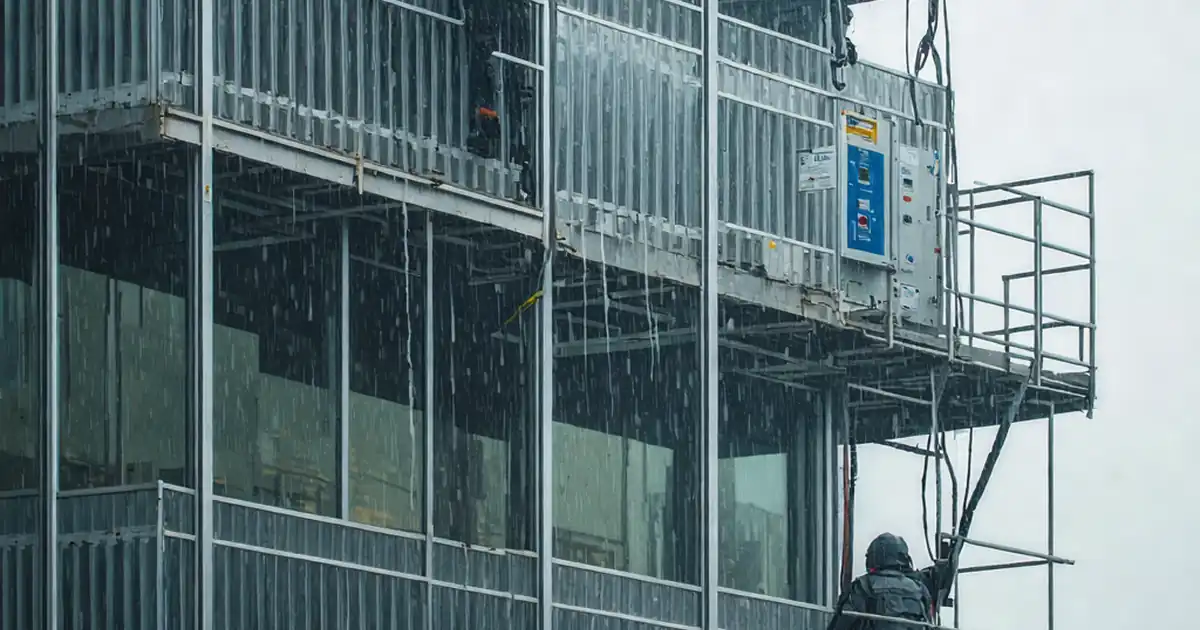
Inspect dynamic façade safety stops and fail-safe positions
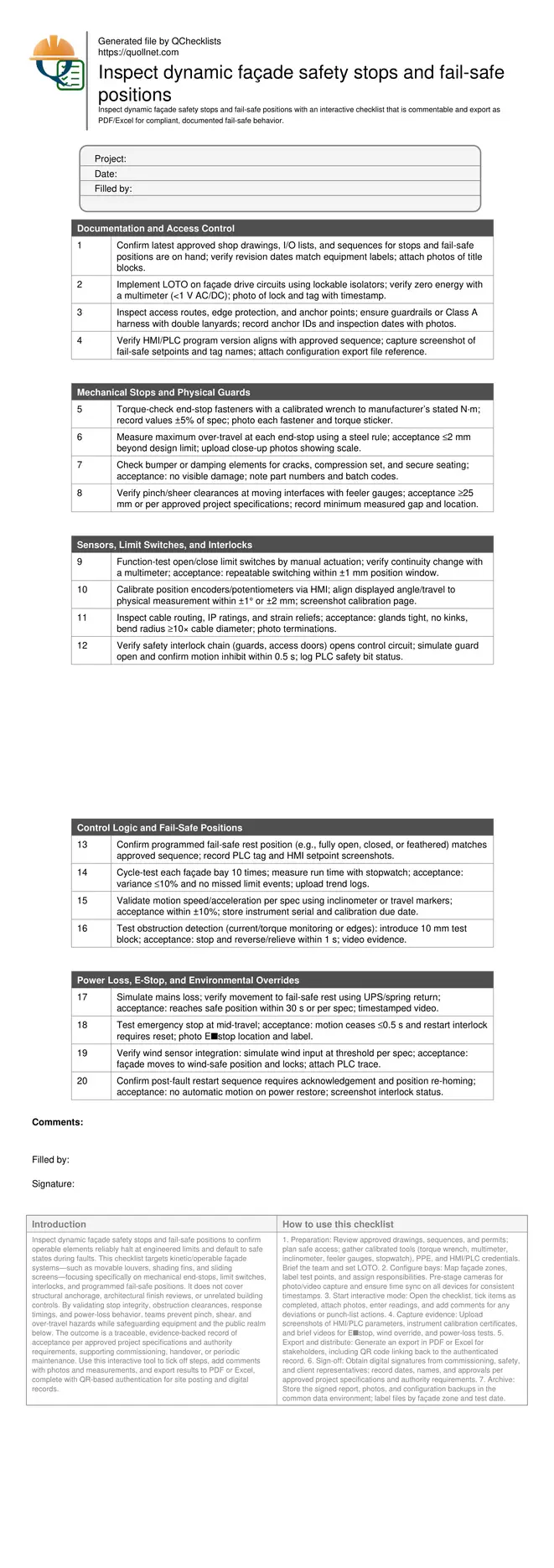
Definition: Inspect dynamic façade safety stops and fail-safe positions for operable façades, commissioning teams, and maintainers to confirm end-stops, interlocks, and safe rest states meet specifications and authority requirements.
- Verify physical end-stops, limit switches, and fail-safe rest positions.
- Test loss-of-power, E‑stop, and wind overrides for safe behavior.
- Capture torque, clearances, timings, and tagged photo evidence for sign-off.
- Interactive, commentable checklist with export and QR code verification.
Inspect dynamic façade safety stops and fail-safe positions to confirm operable elements reliably halt at engineered limits and default to safe states during faults. This checklist targets kinetic/operable façade systems—such as movable louvers, shading fins, and sliding screens—focusing specifically on mechanical end-stops, limit switches, interlocks, and programmed fail-safe positions. It does not cover structural anchorage, architectural finish reviews, or unrelated building controls. By validating stop integrity, obstruction clearances, response timings, and power-loss behavior, teams prevent pinch, shear, and over-travel hazards while safeguarding equipment and the public realm below. The outcome is a traceable, evidence-backed record of acceptance per approved project specifications and authority requirements, supporting commissioning, handover, or periodic maintenance. Use this interactive tool to tick off steps, add comments with photos and measurements, and export results to PDF or Excel, complete with QR-based authentication for site posting and digital records.
- Purpose-built checklist to prove mechanical end-stops, limit switches, and programmed fail-safe positions on operable façades, reducing over-travel risks, protecting users and the public, and documenting acceptance for commissioning and ongoing maintenance programs.
- Method-driven testing verifies lockout procedures, torque on stop hardware, safe clearances at pinch points, loss-of-power behavior, emergency stop operation, wind interlocks, and timing to safe positions, with measurable tolerances and tagged photographic evidence.
- Interactive online checklist with tick, comment, and export features secured by QR code. Teams capture readings, signatures, and approvals in the field, then distribute compliant records to stakeholders for traceable closeout and future audits.
Documentation and Access Control
Mechanical Stops and Physical Guards
Sensors, Limit Switches, and Interlocks
Control Logic and Fail-Safe Positions
Power Loss, E-Stop, and Environmental Overrides
Why safety stops and fail-safe positions matter on kinetic façades
Dynamic façades add performance but introduce motion risks. Well-set mechanical end-stops prevent over-travel that can bend linkages, fracture panels, or eject parts. Equally, fail-safe positions protect people and assets when power, control, or weather conditions degrade. This checklist focuses on verifying hard stops, limit switches, and safe rest states without drifting into unrelated structural or architectural reviews. You will confirm torque on stop hardware, measure over-travel, and validate that interlocks halt movement before hazards form. You will also prove the façade’s response to emergencies, including E‑stop, mains failure, and wind alarms, matches the approved sequence and authority requirements. Expect to use torque wrenches, multimeters, stopwatches, and gauges, plus PLC/HMI access. Evidence—photos with scales, screenshots, and logs—turns observations into defensible records for commissioning and maintenance.
- End-stops prevent costly over-travel and shear incidents.
- Fail-safe states reduce risk during power or control faults.
- Evidence-based records accelerate approvals and audits.
- Scope excludes structural anchorage and finish quality.
- Tools: torque wrench, multimeter, gauges, HMI/PLC access.
Acceptance cues, tolerances, and repeatable verification methods
Acceptance hinges on objective measurements. End-stop fasteners must meet manufacturer torque; over-travel should be minimal and repeatable. Limit switches should toggle within a tight position window, and position feedback must align to physical travel. Motion time and speed need consistency across cycles. Obstruction detection must reliably stop and relieve within a second. For fail-safe logic, the programmed rest position must activate on E‑stop, loss of mains, or wind threshold, and restart should require a deliberate reset. Capture calibration certificates for instruments and screenshots of tags and setpoints. Where the specification defines thresholds, honor them; otherwise, document observed values and seek engineer approval. Use QR-linked records to bind measurements, photos, and signatures to exact bays and dates.
- Quantify travel, timing, torque, and switch windows.
- Record PLC tags, setpoints, and trend traces.
- Validate obstruction response with standard test blocks.
- Honor project specifications and authority requirements.
- Bind evidence to locations via QR-linked records.
Field tips for safe, efficient testing and clear handover
Prepare safe access and LOTO before any motion tests. Stage calibrated tools and dummy loads, then brief the team on hand signals and stop authority. Conduct dry-run tests with drives isolated to understand geometry, then energize under supervision. Video critical fail-safe demonstrations to capture timing and panel behavior. Maintain a running punch list of nonconformities with photos and corrective actions. On completion, include versioned HMI/PLC backups, maintenance recommendations, and a matrix of bays tested with measured values. Train operations staff on restart interlocks, environmental overrides, and routine inspection intervals. Archive all artifacts in the project’s common data environment, using QR codes on the façade zone signage to retrieve the signed report.
- Brief roles and stop authority before energizing.
- Dry-run geometry checks reduce surprises.
- Video critical fail-safe demonstrations for timing proof.
- Maintain a punch list with corrective actions.
- Archive and label evidence for future audits.
How to use this interactive checklist effectively
- Preparation: Review approved drawings, sequences, and permits; plan safe access; gather calibrated tools (torque wrench, multimeter, inclinometer, feeler gauges, stopwatch), PPE, and HMI/PLC credentials. Brief the team and set LOTO.
- Configure bays: Map façade zones, label test points, and assign responsibilities. Pre-stage cameras for photo/video capture and ensure time sync on all devices for consistent timestamps.
- Start interactive mode: Open the checklist, tick items as completed, attach photos, enter readings, and add comments for any deviations or punch-list actions.
- Capture evidence: Upload screenshots of HMI/PLC parameters, instrument calibration certificates, and brief videos for E‑stop, wind override, and power-loss tests.
- Export and distribute: Generate an export in PDF or Excel for stakeholders, including QR code linking back to the authenticated record.
- Sign-off: Obtain digital signatures from commissioning, safety, and client representatives; record dates, names, and approvals per approved project specifications and authority requirements.
- Archive: Store the signed report, photos, and configuration backups in the common data environment; label files by façade zone and test date.
Call to Action
- Start Checklist Tick off tasks, leave comments on items or the whole form, and export your completed report to PDF or Excel—with a built-in QR code for authenticity.
- Download Excel - Dynamic Façade Safety Stops & Fail-Safe Inspection
- Download PDF - Dynamic Façade Safety Stops & Fail-Safe Inspection
- View Image - Dynamic Façade Safety Stops & Fail-Safe Inspection
Cite & Embed
“Dynamic Façade Safety Stops & Fail-Safe Inspection by Quollnet”
with a link to
this source page.
FAQ
Question: What exactly is a fail-safe position on a dynamic façade?
Question: How often should safety stops and fail-safe positions be retested?
Question: Which tools are essential for verifying stop integrity and timing?
Question: What evidence should I capture to support sign-off?
Related Articles
Broader reading and guidance connected to this checklist topic.





Safety In Construction: The Role Of Periodic Safety Checklists
Related Checklists
Keep the workflow moving with nearby templates chosen from similar checklist content.