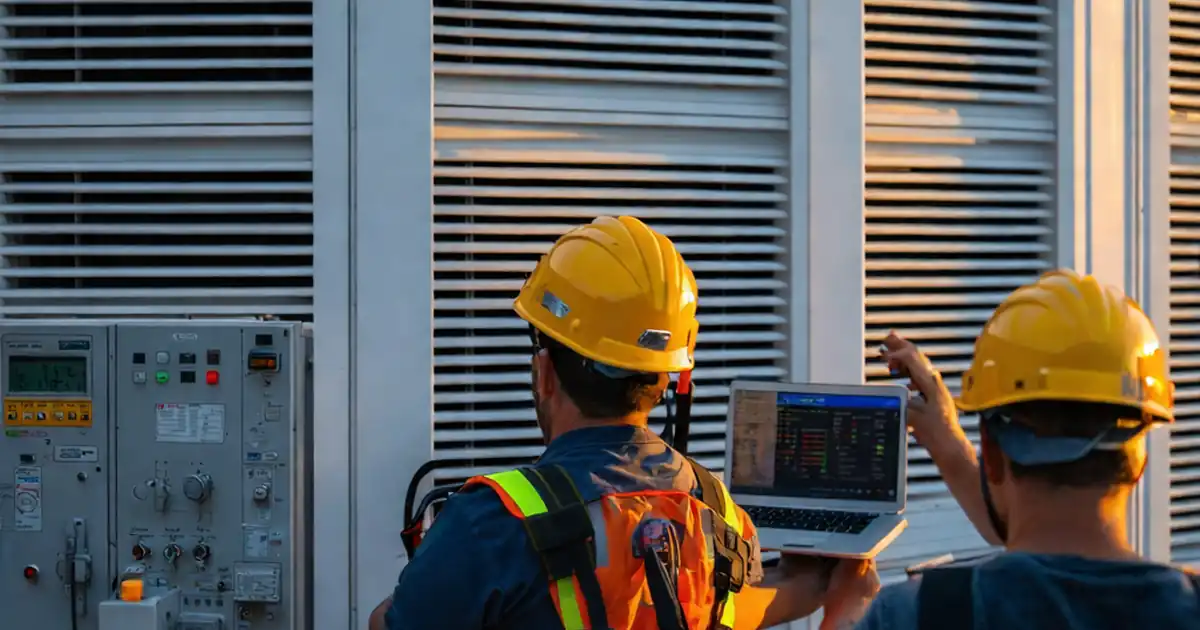
Review Façade Smoke-Control Interfaces with Life-Safety Systems
Definition: Review façade smoke-control interface requirements with life-safety systems ensures coordinated, code-aligned interfaces between curtain wall controls, smoke vents, and critical life-safety equipment for reliable, auditable performance under emergency operation.
- Clarifies cause-and-effect between façade actuators and fire alarm outputs
- Verifies wiring, power, and fail-safe positions with measurable evidence
- Confirms commissioning sequences, logs, and handover deliverables meet approvals
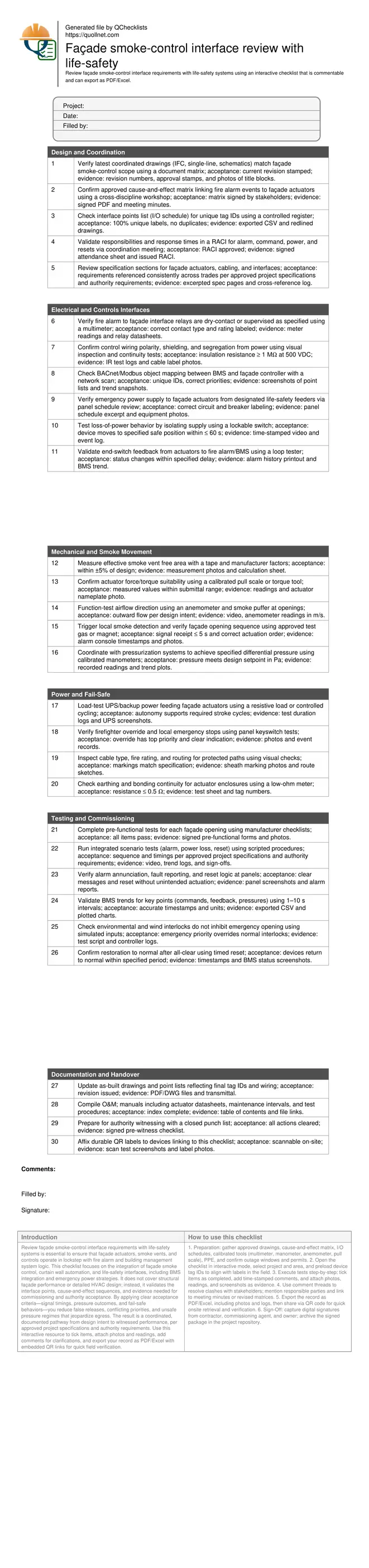
- Interactive, commentable checklist with export and QR code traceability
Review façade smoke-control interface requirements with life-safety systems is essential to ensure that façade actuators, smoke vents, and controls operate in lockstep with fire alarm and building management system logic. This checklist focuses on the integration of façade smoke control, curtain wall automation, and life-safety interfaces, including BMS integration and emergency power strategies. It does not cover structural façade performance or detailed HVAC design; instead, it validates the interface points, cause-and-effect sequences, and evidence needed for commissioning and authority acceptance. By applying clear acceptance criteria—signal timings, pressure outcomes, and fail-safe behaviors—you reduce false releases, conflicting priorities, and unsafe pressure regimes that jeopardize egress. The result is a coordinated, documented pathway from design intent to witnessed performance, per approved project specifications and authority requirements. Use this interactive resource to tick items, attach photos and readings, add comments for clarifications, and export your record as PDF/Excel with embedded QR links for quick field verification.
- Establishes a unified, traceable interface review across façade actuators, smoke vents, fire alarm signals, and BMS objects, ensuring the right devices respond in the right order with the right power and priorities during an emergency.
- Translates design intent into measurable field checks: opening times in seconds, differential pressures in pascals, and network object status changes with timestamps, backed by photos, test logs, and responsible-person signatures for defensible compliance.
- Reduces rework by explicitly validating I/O schedules, wiring standards, fail-safe positions, and override hierarchies before integrated testing, preventing site conflicts between trades and enabling faster authority witnessing and closeout with accurate as-built documentation.
- Interactive online checklist with tick, comment, and export features secured by QR code.
Design and Coordination
Electrical and Controls Interfaces
Mechanical and Smoke Movement
Power and Fail-Safe
Testing and Commissioning
Documentation and Handover
Coordinated Interfaces That Work Under Real Alarms
Successful façade smoke-control depends on interfaces behaving predictably when alarms occur. Start with a signed cause-and-effect matrix that maps each initiating event to façade actions, including command priorities and reset logic. Translate that into a clean I/O schedule with unique tags so installers, fire alarm vendors, and BMS teams implement the same intent. Confirm emergency power routing and override stations early to avoid field conflicts. During reviews, insist on measurable outcomes—open times in seconds, differential pressures in pascals, and unambiguous status feedback—rather than vague terms. Jobsite examples show most failures stem from mislabeled points or missing end-switch feedback, not equipment defects. By reconciling drawings and responsibilities before testing, you prevent costly rework, compress commissioning timelines, and provide an audit trail acceptable to authorities per approved project specifications and authority requirements.
- Lock down a signed cause-and-effect matrix early
- Use unique tags across drawings, BMS, and panels
- Define measurable timing and pressure outcomes
- Route emergency power and priority overrides clearly
- Capture approvals and revisions as evidence
Testing Methods, Measurements, and Acceptance Cues
Field verification should replicate emergency conditions with controlled, witnessed tests. Use smoke puffers and anemometers to prove airflow direction at façade openings. Validate actuator performance with calibrated pull scales or torque tools, and confirm end-switch feedback transitions within specified delays. Network scans should show BMS objects updating correctly under alarm priority, while manometers confirm required pressure setpoints in adjacent spaces. Loss-of-power tests must demonstrate movement to safe positions and correct annunciation of faults. For each test, collect time-stamped videos, screenshots, and readings, then trend key points at short intervals to evidence sequence integrity. Accept only results that meet defined criteria and are traceable to specific devices via labels and photos.
- Simulate alarms, power loss, and resets
- Record readings in SI units with timestamps
- Trend critical points during each scenario
- Verify fail-safe movements and annunciations
- Capture photos of labels and terminations
Documentation, Closeout, and Ongoing Assurance
Closeout hinges on accurate as-builts, complete O&M manuals, and accessible records. Update drawings and point lists to reflect final tag IDs, wiring routes, and panel schedules. Consolidate datasheets, maintenance intervals, and test procedures in a single repository so facility teams can repeat checks without ambiguity. Label each actuator and interface point with durable QR codes that link to this checklist and evidence. Before authority witnessing, clear all punch items and rehearse scripted scenarios to minimize surprises. Archive signed matrices, trend exports, and videos to preserve the compliance trail for future audits, retrofits, and re-tests.
- Issue updated as-built drawings and I/O schedules
- Provide O&M manuals with test procedures
- Apply QR labels linking to evidence
- Rehearse scenarios before authority witnessing
- Archive trends, videos, and signatures
How to Use This Interactive Checklist
- Preparation: gather approved drawings, cause-and-effect matrix, I/O schedules, calibrated tools (multimeter, manometer, anemometer, pull scale), PPE, and confirm outage windows and permits.
- Open the checklist in interactive mode, select project and area, and preload device tag IDs to align with labels in the field.
- Execute tests step-by-step; tick items as completed, add time-stamped comments, and attach photos, readings, and screenshots as evidence.
- Use comment threads to resolve clashes with stakeholders; mention responsible parties and link to meeting minutes or revised matrices.
- Export the record as PDF/Excel, including photos and logs, then share via QR code for quick onsite retrieval and verification.
- Sign-Off: capture digital signatures from contractor, commissioning agent, and owner; archive the signed package in the project repository.
Call to Action
- Start Checklist Tick off tasks, leave comments on items or the whole form, and export your completed report to PDF or Excel—with a built-in QR code for authenticity.
- Download Excel - Façade Smoke-Control Interface Review
- Download PDF - Façade Smoke-Control Interface Review
- View Image - Façade Smoke-Control Interface Review
Cite & Embed
“Façade Smoke-Control Interface Review by Quollnet”
with a link to
this source page.
FAQ
Question: What should be tested first when reviewing façade smoke-control interfaces?
Question: How do I prove fail-safe operation without risking occupant disruption?
Question: Which measurements are most important to document for authorities?
Question: How do I manage interface changes during commissioning?
Related Articles
Broader reading and guidance connected to this checklist topic.


Open Ncrs At Taking-over / Dlp: What Happens At Handover And How To Escalate

Is It Important To Customize Your Qr Code And How To Do It?

Related Checklists
Keep the workflow moving with nearby templates chosen from similar checklist content.