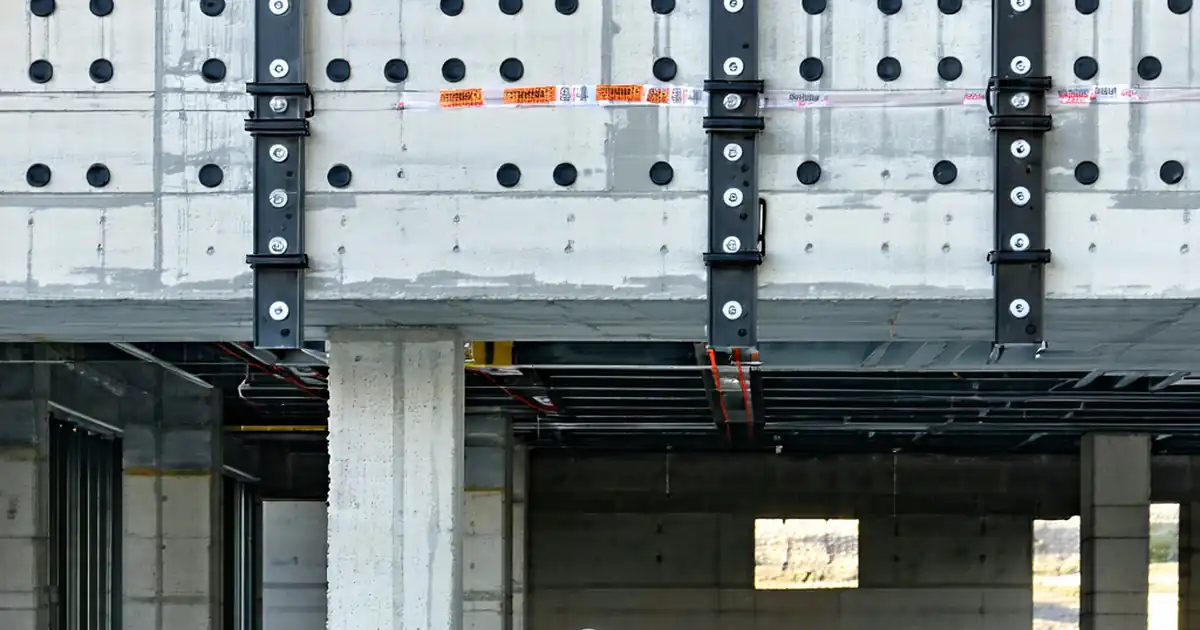
Façade Interface Review: MEP Penetrations and Supports
Definition: Review façade interface with MEP penetrations and support systems is a field-ready checklist for construction managers, façade engineers, and MEP coordinators to verify watertightness, fire ratings, movement, and structural support compliance.
- Validate sleeves, sealants, firestops, and insulation align with submittals.
- Ensure air, water, and vapor barriers remain continuous at penetrations.
- Confirm brackets, anchors, and thermal breaks accommodate building movement.
- Interactive, commentable checklist with export and QR code verification.
Review façade interface with MEP penetrations and support systems ensures the building envelope remains continuous, durable, and compliant where services pass through cladding and where brackets meet the exterior wall. This checklist focuses on building envelope interfaces, curtain wall penetrations, and mechanical/electrical/plumbing supports that can compromise air, water, vapor, fire, acoustic, thermal, and structural performance if mishandled. You will verify sleeves and openings, AVB continuity, water-shedding details, insulation fit, listed firestop systems, corrosion protection, differential movement allowances, and bracket anchorage to the primary structure. The scope stops at the façade interface—no internal distribution or equipment commissioning—and excludes design re-engineering beyond approved project specifications and authority requirements. Done well, this review prevents leaks, air infiltration, thermal bridges, premature corrosion, failed fire separations, and cracked cladding from restrained movement. Use this interactive checklist onsite: tick each item, add comments, attach photos and readings, and export results to PDF or Excel. Scan or share the QR code to secure traceability with your team.
- Comprehensive field checklist that focuses on sleeves, sealants, firestops, insulation, and bracketry where MEP services penetrate or attach to the façade, delivering a durable, watertight, airtight, and code-compliant interface.
- Interactive online checklist with tick, comment, and export features secured by QR code.
- Actionable acceptance criteria with measurable tolerances, torque values, bead widths, annular spaces, movement clearances, and coating thicknesses; every step prompts photos, readings, lot numbers, and signatures for defensible records.
- Coordination-first workflow aligning approved drawings, submittals, listed firestop systems, and onsite hold points to avoid clashes, thermal bridges, and restraint of movement that commonly lead to leakage, spalling, or failed inspections.
Pre-Installation Coordination
Penetrations and Sleeves
Air/Water/Vapor Continuity
Firestopping and Thermal/Acoustic Control
Supports and Brackets at Façade
Testing and Documentation
Coordinating the Façade–MEP Interface Before Work Starts
Successful penetrations and supports at the façade begin with disciplined coordination. Map every opening in plan and elevation, tie it to a unique ID, and confirm service type, sleeve size, and required rating. Validate that the AVB plane, sheathing, and cladding sequence align with MEP routing so collars, flashings, and firestops can be installed in the correct order. Edge distances and embed locations matter; rushed drilling near mullions or anchors can weaken framing or crack panels. Lock in movement strategy early—slotted holes or slide plates—so supports don’t restrain façade drift. Host a hold-point meeting before cavities close to align installers, inspectors, and supervisors. On real sites, issues often stem from unapproved hole shifts or missing sleeves; catching these before sealing avoids destructive rework. Acceptance cues include clash-free drawings, sleeve logs, and rated system selections attached to each ID.
- Assign unique IDs to every opening and support.
- Verify AVB location versus MEP routing early.
- Protect edge distances; avoid weakening framing.
- Plan movement slots and slide plates in advance.
- Hold a pre-close coordination meeting onsite.
Maintaining Air/Water/Vapor and Fire Continuity at Penetrations
Continuity across the envelope is non-negotiable. Prime substrates and wrap AVB membranes 360° onto sleeves with minimum 75 mm laps and firm adhesion. Install compatible boots or collars, then wet-seal with specified sealant, documenting bead size and lot numbers. Fit insulation tightly to prevent thermal bridges; fill minor gaps with approved foam or mineral wool. Select listed firestop systems matching service, opening, and rating; pack to the stated depth and apply sealant or mortar smoothly without voids. For plastics or cable bundles, install intumescent components and affix identification tags. Field verification should include hose testing per project method for water ingress and visual checks for air leakage with smoke or IR during pressure tests. Real-world failures usually trace to discontinuous membranes at the sleeve or incorrect firestop listings.
- Prime and lap AVB; eliminate fishmouths and voids.
- Record sealant bead width and lot numbers.
- Tightly fit insulation to avoid thermal bridges.
- Match listed firestop systems exactly.
- Hose test and air-leak checks validate continuity.
Brackets, Movement, Corrosion Control, and Closeout Evidence
MEP supports must anchor to structure, not cladding. Verify torque on mechanical anchors using a calibrated wrench and document results. Prevent thermal bridging with isolation pads sized for near-full bearing; treat cut edges and measure coating thickness where finishes protect steel. Provide movement allowances so brackets don’t lock the façade; confirm at least 10 mm free travel where indicated. When seismic restraints are specified, ensure tags and clearances are in place. For closeout, maintain a penetration register with photos before and after closure, link manufacturer checklists, and collect digital signatures from façade, MEP, and firestop leads. Onsite, inspectors frequently flag missing thermal pads, over-torqued anchors, or untagged restraints—each is avoidable with measurable checks and photo evidence.
- Anchor to structure; document torque readings.
- Install thermal pads with ≥95% coverage.
- Allow ≥10 mm movement where required.
- Measure coating DFT; treat cut edges.
- Complete registers with tagged photo evidence.
How to Use This Interactive Checklist
- Preparation: Bring calibrated tape, digital level, torque wrench, DFT gauge, IR camera/smoke pencil, sealant gauges, PPE, approved drawings, submittals, and the penetration register on a tablet.
- Open the checklist, select your project and façade elevation, and enable interactive mode; assign or scan a penetration/support ID to start a new record.
- Work through grouped items; tick pass/fail, add comments, and attach photos, readings, lot numbers, and signatures directly to each step.
- After area completion, generate a summary and export as PDF/Excel for distribution to façade, MEP, and QC teams.
- Sign-Off: Capture digital approvals from responsible leads; archive the file with QR authentication for traceability and future audits.
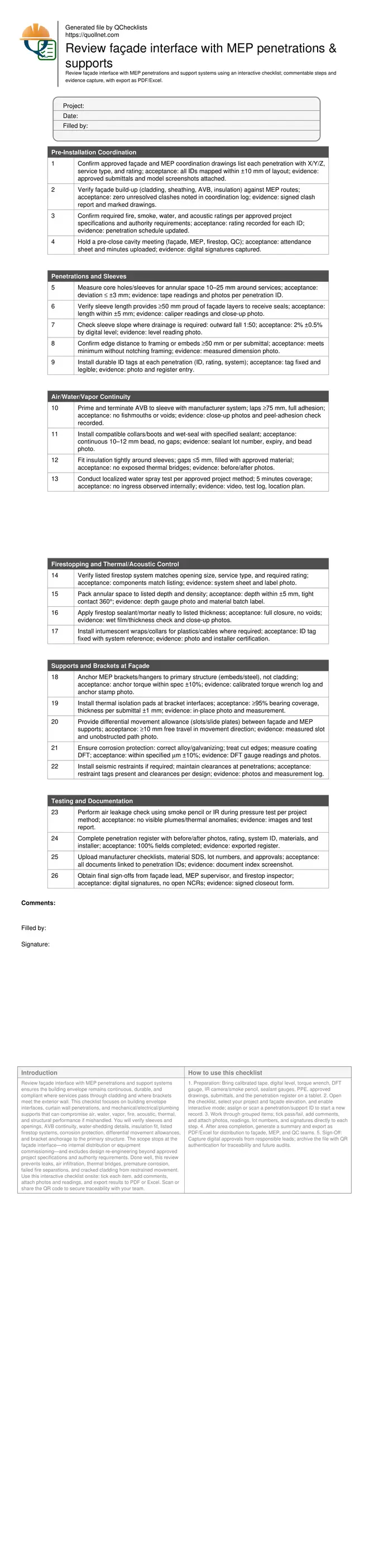
Call to Action
- Start Checklist Tick off tasks, leave comments on items or the whole form, and export your completed report to PDF or Excel—with a built-in QR code for authenticity.
- Download Excel - Façade–MEP Interface Review
- Download PDF - Façade–MEP Interface Review
- View Image - Façade–MEP Interface Review
Cite & Embed
“Façade–MEP Interface Review by Quollnet”
with a link to
this source page.

FAQ
Question: What tolerances apply to sleeves and annular spaces at the façade?
Question: How do I verify air and water tightness without specialized lab tests?
Question: Who should sign off the façade–MEP interface checks?
Question: How do I handle mixed materials or unusual services at penetrations?
Related Articles
Broader reading and guidance connected to this checklist topic.


Is It Important To Customize Your Qr Code And How To Do It?
Download Excel Format Snag List

Requisition Form: Materials, Services, Budget Control, And Logs

Is The Crack You See On Your Wall Serious Or Minor Cosmetic Issue?
Related Checklists
Keep the workflow moving with nearby templates chosen from similar checklist content.