G
Guest

AIA Architect’s Supplemental Instruction (ASI) – Free Form and Usage Tips

Download our free AIA Architect’s Supplemental Instruction (ASI) form. Learn how to use it for minor changes with no cost/time impact, per AIA contracts.

AIA Architect’s Supplemental Instruction (ASI) – Free Form and Usage Tips
English version

AIA Architect’s Supplemental Instruction (ASI) – Free Form & Usage Tips


Introduction

Under the AIA A201 – General Conditions of the Contract for Construction, an Architect’s Supplemental Instruction (ASI) allows the architect to authorize a minor change in the work that does not affect the contract sum or contract time.

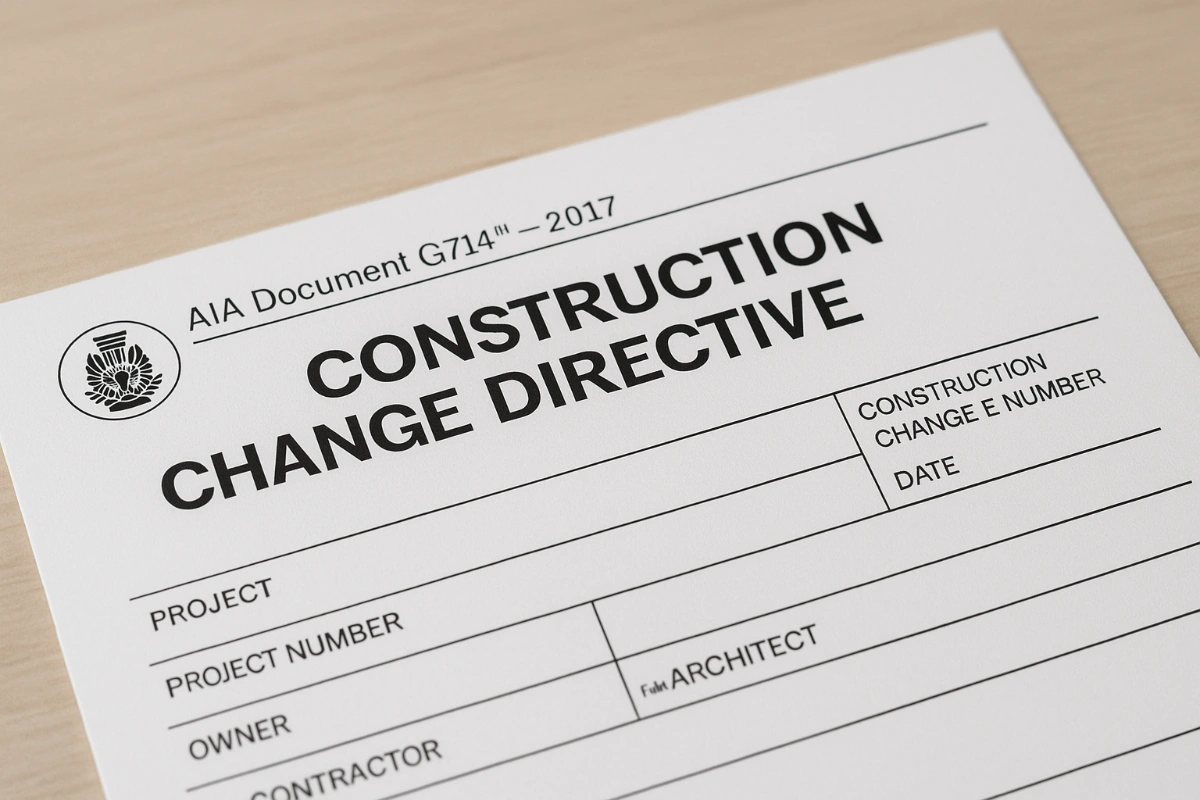
Because ASIs apply only to zero-cost, zero-time changes, they are often used for clarifications, small adjustments, or minor corrections. If the contractor believes an ASI will have cost or time impact, it should be converted into a Construction Change Directive (CCD) or Change Order.

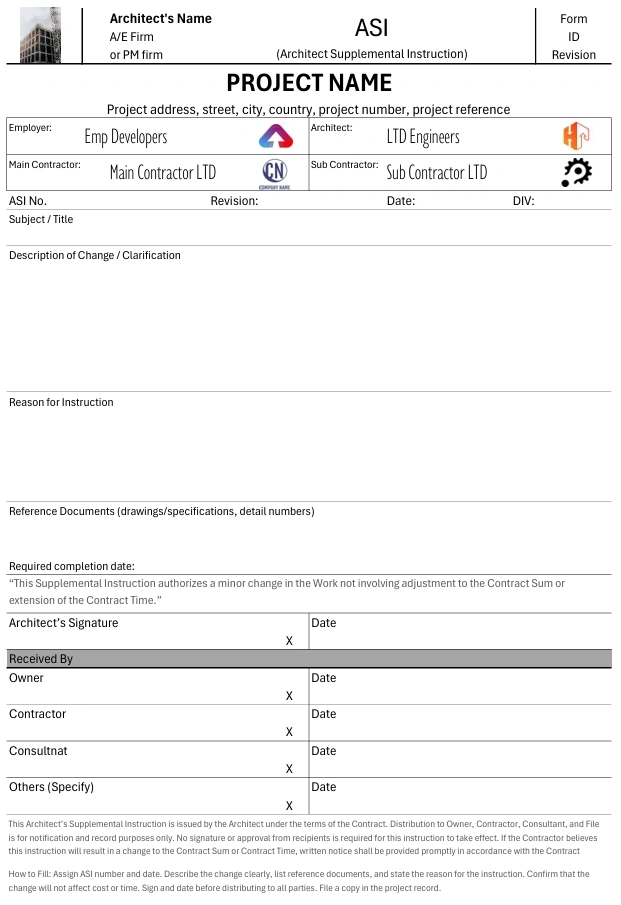
This mini guide focuses on the AIA ASI form available for free download from Quollnet, showing how to use it effectively in your projects.

Download the AIA ASI Form – PDF, Excel, WebP


Purpose of the ASI Form

The ASI form provides a standardized method for issuing instructions that:

  • Clarify design details without altering price or schedule.

  • Maintain a written record of minor adjustments.

  • Ensure all relevant parties (Owner, Contractor, Consultants) are notified.


When to Use an ASI

Examples of valid ASI situations:

  • Minor dimension adjustments.

  • Clarifications of finishes, colors, or materials.

  • Additional detail for an already approved design.

  • Correcting non-critical errors in drawings/specs.

If a proposed change affects cost or schedule — even slightly — it must not be issued as an ASI. Instead, use a CCD or Change Order.

For broader context on instructions in construction, see our Complete Guide to Site Instructions.


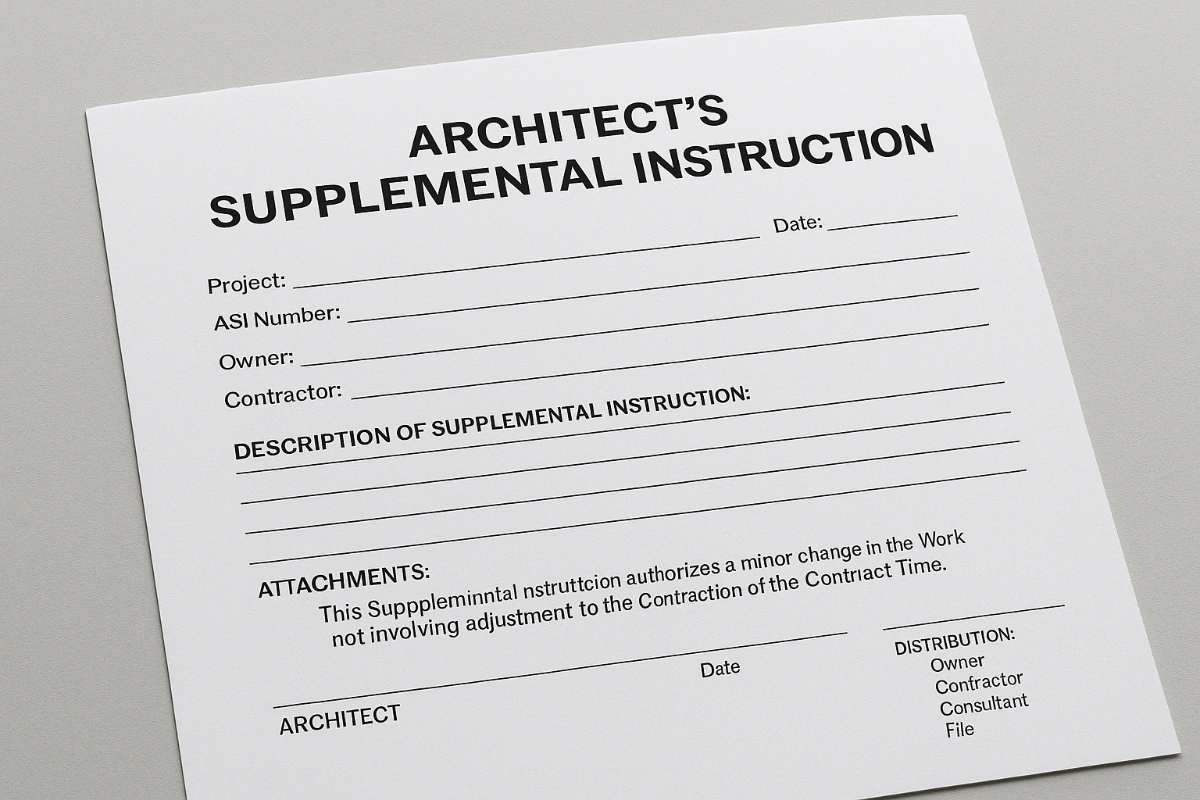
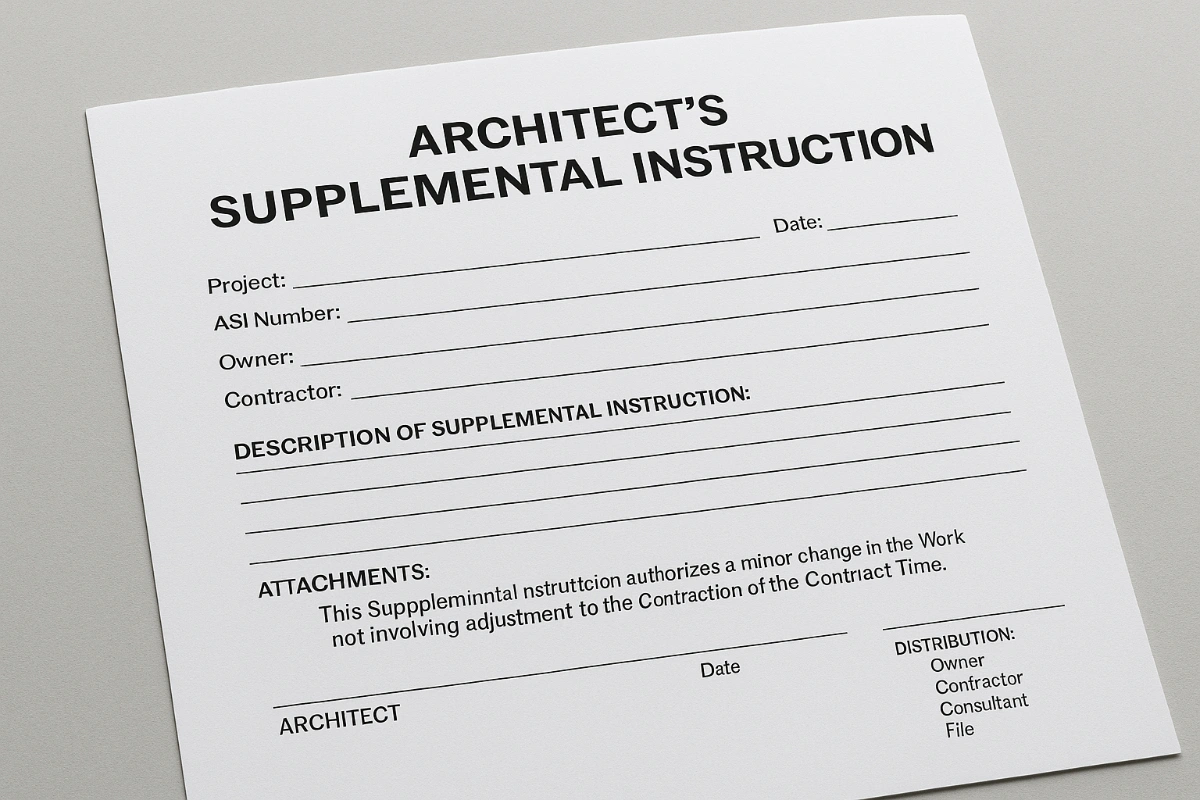
How to Fill the ASI Form

Header:

  • Project name & number.

  • Owner, Contractor, and Architect names.

  • ASI number and date.

Instruction Details:

  • Description of change/clarification.

  • Reference documents (drawings, specs, RFIs).

  • Reason for instruction.

Authorization Statement:

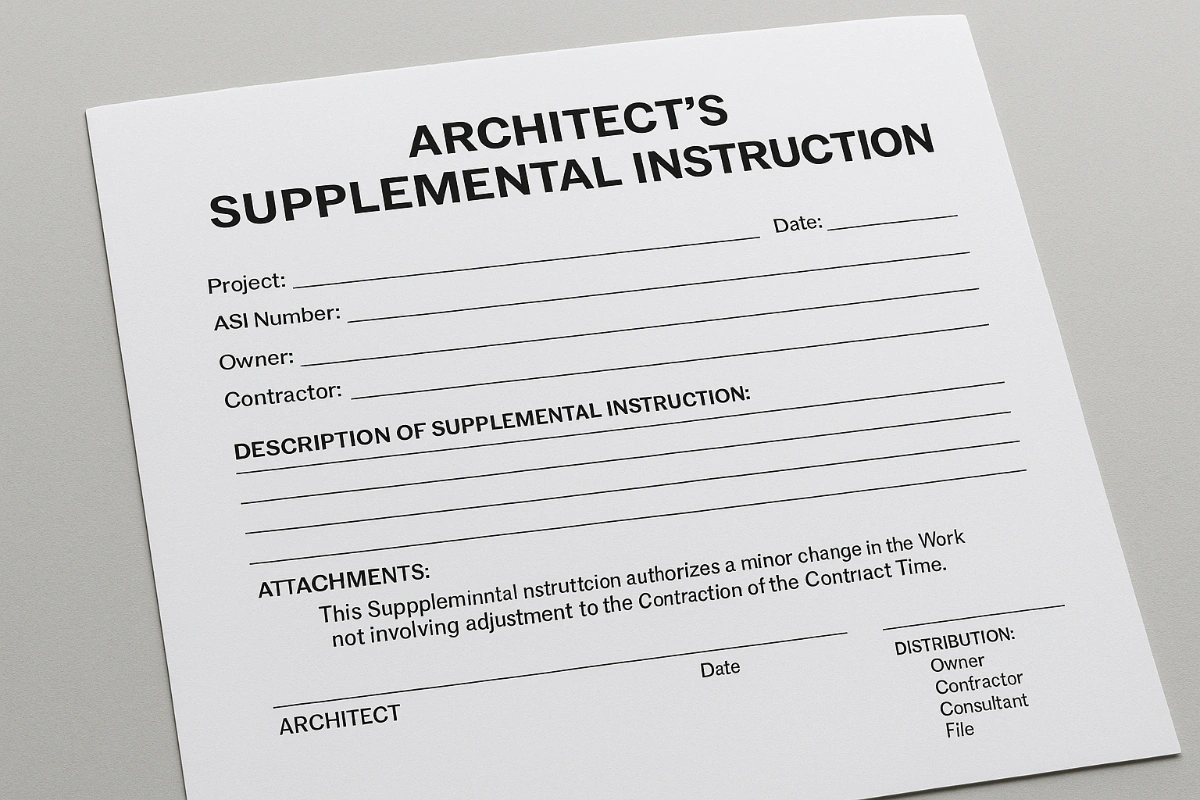
“This Supplemental Instruction authorizes a minor change in the Work not involving adjustment to the Contract Sum or extension of the Contract Time.”

Signatures & Distribution:

  • Architect’s signature and date.

  • Distribution list (Owner, Contractor, Consultants, File).


Best Practices for Using ASIs

  1. Confirm zero impact on cost and time before issuing.

  2. Describe changes clearly to avoid ambiguity.

  3. Include references to relevant drawings/specs.

  4. Maintain an ASI log to track all issued instructions.

  5. Ensure prompt distribution to all relevant parties.


Download the Form

Download AIA ASI Form – PDF
Download AIA ASI Form – Excel
Download AIA ASI Form – WebP


Related Reading

Elie Saad's photo
Elie Saad
Aug 10, 2025
0
45
872
2.44k+

Related Checklists


Provisional Sum Package Maturity (PCS) Gap Checklist
✅ 27 items
Provisional Sum Package Maturity (PCS Gap Analysis) Checklist enables a clear, auditable decision on whether a provisional sum package is ready for instruction, procurement, and execution. This package readiness review focuses on scope maturity, design completeness, authority approvals, interfaces, and programme integration, not on subcontractor experience or financial standing. By applying a structured PCS gap analysis, the contractor can avoid scope drift, rework, abortive procurement, late approvals, and programme resequencing. The checklist demands evidence-based confirmation of IFC drawings, coordinated specifications, defined performance requirements, identified temporary works, and clear design responsibilities. It also validates that approval paths are known, submissions are tracked, and timelines align with the baseline programme logic. Commercial clarity is captured through measurable scope, stated assumptions, testing obligations, warranties, and LD implications per approved project specifications and authority requirements. Use this tool to accept instruction, accept with reservations, request clarification, issue a notice of risk, or object to premature conversion. Tick, comment, and export to PDF/Excel with a secure QR.
Work Breakdown Structure: 100% Coverage Creation Checklist
✅ 27 items
Work breakdown structure is the foundation for organizing project scope into a clear, deliverable-based hierarchy. Also called a WBS, project breakdown, or scope decomposition, it helps teams transform a broad statement of work into manageable, measurable components. This checklist focuses on a deliverable-oriented, construction-ready approach applicable to any discipline and size, emphasizing the 100% rule, MECE thinking, and traceable work packages. By following these steps, you’ll prevent common risks such as double-counting, scope gaps, ambiguous ownership, and uncontrolled rework. You’ll also accelerate estimating, scheduling, cost control, and progress measurement by building a robust WBS dictionary and coding structure aligned to your organization. Use this interactive page to tick items, add comments for clarifications, and attach evidence (screenshots, matrices, approvals). When complete, export as PDF/Excel and authenticate the output via QR for fast sharing and audits.
Mobilization Plan Starter Checklist: Preconstruction Setup
✅ 28 items
Mobilization Plan Starter Checklist helps contractors, project managers, and site engineers finalize a practical, contract-aware preconstruction mobilization plan. It aligns your contractor startup plan with employer/engineer requirements and confirms a safe, efficient site setup before works begin. Within scope: site access and boundaries, temporary site layout, welfare and first aid, temporary power and services, plant and delivery logistics, security and emergency arrangements, permits and approvals, labor onboarding, and document control. This pre-start mobilization checklist also validates engineer/employer facilities required by contract and anticipates future demobilization or relocation. By addressing risks like delayed utilities, unsafe yards, unsecured perimeters, and missing permits, you improve schedule certainty, reduce rework, and pass readiness reviews. Use this tool to assign actions, attach evidence, and create an auditable trail per approved project specifications and authority requirements. Start interactive mode to tick items, add comments, and export PDF/Excel with a QR code.
Floor Surface Preparation Inspection Checklist
✅ 15 items
Proper floor surface preparation is crucial for ensuring the longevity and quality of tile installations. Whether you're a professional tiler or a DIY enthusiast, this checklist will guide you through the essential steps to inspect and prepare floor surfaces before tiling. This will help prevent common issues such as tile cracking, adhesive failure, and uneven surfaces. By following this comprehensive checklist, you can ensure that your tiling project begins with a solid foundation, ultimately saving time and costs on potential repairs.
What to Do When the Contractor Receives an NCR: Action Guide
✅ 22 items
What to do when the contractor receives an NCR is a practical, step-by-step response plan for construction teams facing a nonconformance report, non-compliance notice, or quality deviation. This checklist focuses on immediate containment, factual root cause analysis, corrective and preventive actions, and transparent closeout—without drifting into unrelated scopes. By following a structured approach, you reduce rework, avoid safety incidents, protect delivery dates, and maintain a defensible contractual position. Every step emphasizes objective evidence: calibrated measurements, annotated photos, batch numbers, inspection reports, and signatures. You will find guidance for logging, isolating affected work, coordinating hold points, and aligning with stakeholder expectations per approved project specifications and authority requirements. The result is a clear record demonstrating control of the nonconformance, verification of the fix, and prevention of recurrence. Start in interactive mode to tick items, add comments, attach files, and export your record as PDF/Excel with a QR link for quick field access.

Related Articles


Fidic Site Instruction Form Download Usage
⏳ 3 min read
Fidic Site Instruction Form – Free Download And Usage Tips
Download our free FIDIC Site Instruction form. Learn how to use it in any FIDIC edition, track variations, and protect against disputes with proper records.
Site Instructions Construction Legal And Forms
⏳ 5 min read
Site Instructions In Construction: Legal Guide & Templates
Learn what site instructions (Engineer’s, Architect’s, PM’s Instructions, ASI, Work/Field Orders) mean legally in FIDIC, JCT, NEC & AIA, with free forms.
Aia Construction Change Directive Form
⏳ 2 min read
أمر التغيير الإنشائي Aia (ccd) – نموذج مجاني ونصائح للاستخدام
حمّل نموذج AIA CCD المجاني وتعرّف على طريقة استخدامه للتغييرات التي تؤثر في التكلفة أو الوقت عندما لا تزال الشروط غير متفق عليها.
Aia Architects Supplemental Instruction Form
⏳ 2 min read
تعليمات إضافية للمهندس المعماري من Aia (asi) – نموذج مجاني ونصائح للاستخدام
قم بتنزيل نموذج تعليمات إضافية للمهندس المعماري من AIA مجانًا. تعلم كيفية استخدامه للتغييرات الطفيفة دون تأثير على التكلفة/الوقت، وفقًا لعقود AIA.
Aia Construction Change Directive Form
⏳ 2 min read
Aia Construction Change Directive (ccd) – Free Form And Usage Tips
Download our free AIA Construction Change Directive (CCD) form. Learn how to use it for changes affecting cost/time when terms aren’t yet agreed.