Trigger/action response plan checklist for construction and operations teams defines measurable thresholds, hold points, communication routes, and escalation workflows to prevent delays, contain risk, and support defensible quality decisions.
- Set quantifiable thresholds and unambiguous hold points before work starts.
- Define notification matrix, timing, and message templates for events.
- Map escalation tiers, responsibilities, and decision authority with time limits.
- Interactive, commentable, export, QR code for field verification.
The checklist
Define Thresholds
- List monitored parameters with units and sources (e.g., thermometer, noise meter, schedule dashboard). Verify instrument IDs and calibration dates ≤ 6 months; evidence: photos of calibration labels and certificates attached.
- Set numeric control limits in SI units (e.g., noise LAeq > 70 dB, PM10 > 50 µg/m³, vibration > 5 mm/s, schedule variance > 10%). Acceptance: QA manager approves matrix; evidence: signed thresholds table.
- Establish rate-of-change triggers (e.g., temperature rise > 5 °C in 30 min) and sampling frequency. Acceptance: frequency supports detection before exceedance; evidence: monitoring plan with time stamps.
- Define persistence rules (e.g., trigger fires after two consecutive exceedances). Acceptance: rule documented for each parameter; evidence: logic noted in thresholds sheet.
- Classify severity tiers (Alert, Hold, Stop) linked to limits. Acceptance: each parameter mapped to one tier per value; evidence: color-coded tier matrix.
- Map every trigger to a single predefined action label (Notify, Verify, Hold). Acceptance: no unmapped triggers; evidence: cross-reference index completed.
Set Hold Points
- Identify activities requiring hold points from the ITP (e.g., reinforcement inspection, pressure test witness). Acceptance: list matches ITP references; evidence: ITP-linked hold-point register.
- Define release authority by role (e.g., QA lead, client rep) and alternates. Acceptance: no conflicts of interest; evidence: signed RACI with roles and alternates.
- Specify verification method and records (inspection checklist, test report, geo-tagged photos). Acceptance: objective evidence required; evidence: referenced forms and sample photos.
- Set maximum response and release times (e.g., Tier Hold: respond ≤ 15 min, release ≤ 2 h). Acceptance: timers documented; evidence: SLA table embedded.
- Document contingency contact chain if primary approver is unavailable after SLA. Acceptance: escalation chain ≤ 3 tiers; evidence: escalation list with phone/email/radio IDs.
Communication Protocols
- Create a notification matrix by trigger tier including roles, channels, and time targets. Acceptance: all shifts covered; evidence: approved matrix PDF.
- Standardize message templates capturing what, where, readings, photo IDs, and required action. Acceptance: 90% completeness in dry-run; evidence: sample outbound messages.
- Define primary and redundant channels (SMS, email, radio) with call signs and distribution lists. Acceptance: redundancy verified; evidence: test log screenshots.
- Set quiet-hours rules with override for safety-critical alerts. Acceptance: override process documented; evidence: signed policy extract.
- Specify evidence capture: geo-tagged photos, instrument screenshots, and lot numbers, using a file naming convention. Acceptance: convention trialed; evidence: example files attached.
Escalation Workflow
- Map escalation tiers with response timers (Tier 1: ≤ 10 min; Tier 2: ≤ 30 min; Tier 3: ≤ 60 min). Acceptance: timers configured; evidence: system settings image.
- Define decision authority per tier (pause, hold, proceed with conditions, notify client). Acceptance: client/engineer concurrence recorded; evidence: approval memo.
- Set criteria to downgrade or close alerts (e.g., three normal readings over 30 min). Acceptance: closure steps listed; evidence: closure checklist template.
- Document cross-discipline triggers (e.g., safety event initiates quality hold). Acceptance: cross-impacts identified; evidence: interaction matrix.
Records and Evidence
- Configure digital log fields: time, GPS, parameter, unit, threshold, reading, tier, action, approver. Acceptance: test export successful; evidence: sample CSV/PDF.
- Assign document control number, revision, and distribution list. Acceptance: version appears on every page; evidence: header/footer screenshot.
- Enable QR code linking to the latest approved plan at the workface. Acceptance: scan resolves to current version; evidence: QR test capture.
- Capture final approvals from project manager, QA lead, and client representative per approved project specifications and authority requirements. Acceptance: e-signatures complete; evidence: signed page.
Preview the printable checklist
Preview page one below. Open the image or download the PDF for all pages.

At a glance
- Create a single, measurable framework for triggers, hold points, and escalation so supervisors, QA, and client representatives respond consistently when limits are exceeded, reducing ambiguity and cycle time on quality, safety, environmental, and schedule events.
- Translate risks into quantifiable thresholds, rate-of-change rules, and persistence criteria, then assign decision authority and time-based service levels. This prevents uncontrolled progress, protects interfaces, and provides defensible records for audits and stakeholder reviews.
- Interactive online checklist with tick, comment, and export features secured by QR code. Use it to capture photos, readings, GPS, and signatures so every notification and approval step is traceable and verifiable in the field and office.
- Embed a communication matrix, message templates, and escalation timers across tiers. Redundancy in channels (SMS, email, radio) and clear closing criteria help teams resolve alerts rapidly while maintaining compliance with project specifications and authority requirements.
How to Use This Trigger/Action Response Plan Checklist
- Preparation: Gather approved project specifications, ITPs, risk registers, monitoring plans, recent calibration certificates, and role lists. Confirm site connectivity for SMS/email/radio. Identify monitored parameters and target SLAs aligned with client expectations.
- Configure Project Details: Open the template, enter thresholds, tiers, hold points, roles, and channels. Attach sample forms, message templates, and evidence examples. Set timers and quiet-hours rules according to site requirements.
- Using the Interactive Checklist: Start interactive mode, tick each item as you complete it, add comments where project-specific limits apply, and upload photos or files. Share the QR code for field access and update the log in real time.
- Run and Monitor: Conduct a dry-run drill to test notifications and escalation. Validate that messages, timers, and approvals work across shifts, then adjust thresholds or roles based on lessons learned.
- Sign-Off and Archive: Capture digital signatures from required roles, export as PDF/Excel, distribute to stakeholders, and archive in document control. Confirm the QR code resolves to the latest approved version.
Quantifying Triggers and Control Limits
Reliable response begins with measurable triggers. Convert each risk into a parameter with SI units, control limit, sampling frequency, rate-of-change rule, and persistence criteria. Examples include LAeq noise > 70 dB, PM10 > 50 µg/m³, vibration velocity > 5 mm/s, water turbidity > 25 NTU, ambient temperature > 32 °C, schedule variance > 10%, and repeat nonconformance count > 3 per week. Document which instrument or system produces each reading, and verify calibration currency to avoid false alarms. Define how long a trigger must persist before action, and when it resets (e.g., two consecutive in-limit readings). Map each threshold to a tier (Alert, Hold, Stop) and a predefined action label so responders know exactly what to do without inventing remedies. Having a numeric, unambiguous matrix prevents disputes and compresses decision time when conditions change quickly.
- Use SI units and documented calibration for all monitored parameters.
- Include rate-of-change and persistence rules, not just absolute limits.
- Tie every trigger to a tier and one action label.
- Record source system, instrument ID, and sampling frequency.
- Require approvals for the threshold matrix before mobilization.
Hold Points that Prevent Uncontrolled Progress
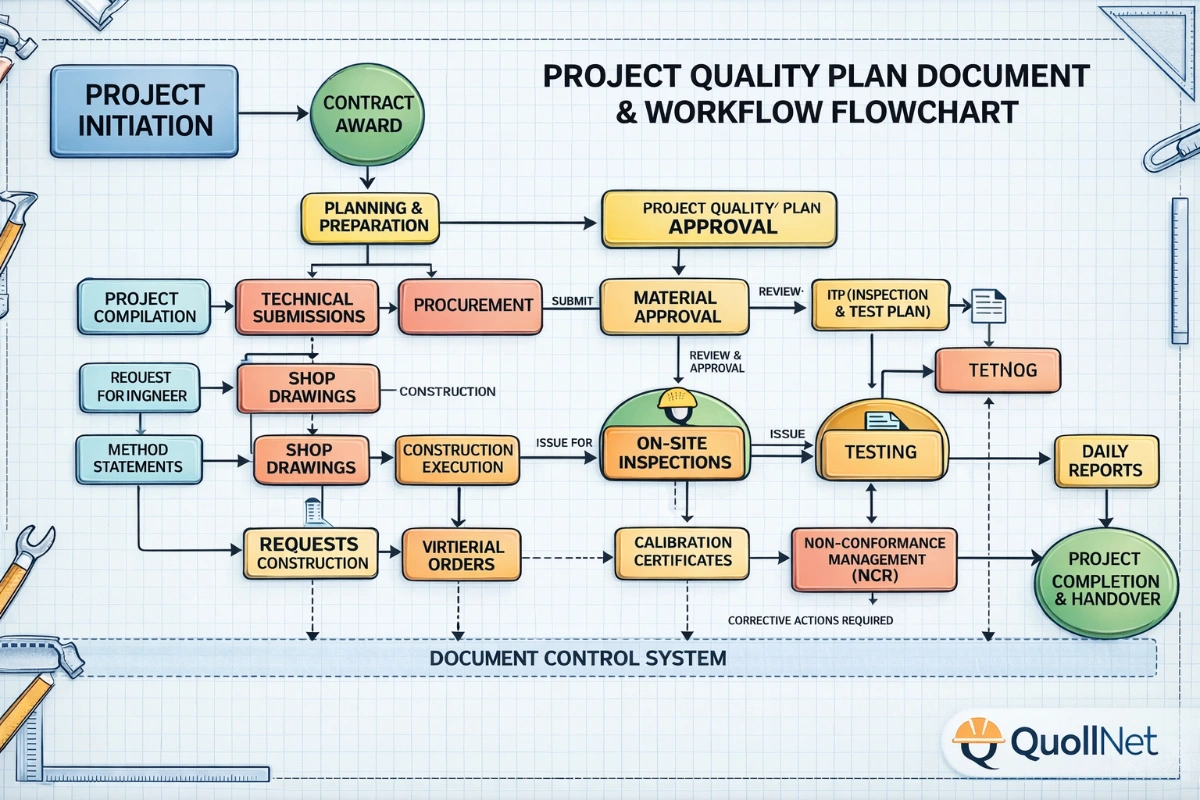
Hold points are deliberate gates tied to risk. Identify them from the Inspection and Test Plan and critical interfaces (e.g., reinforcement inspection before pour, pressure test witness before cover). Assign release authority by role with alternates to avoid delays. Define what evidence is required to release the hold: completed checklist, test result within limits, geo-tagged photos, or third-party witness confirmation. Publish maximum wait times and establish a contingency escalation path if an approver is unavailable. This prevents uncontrolled progress while keeping work flowing through predictable service levels. Ensure the hold-point register links to drawings or work packs so field teams can scan a QR code and see the latest requirements instantly. The focus remains on governance—what to verify, who decides, and how fast—not on prescribing contractor remedies.
- Derive hold points directly from the ITP and interfaces.
- Name release authority roles and alternates, not individuals.
- State required evidence to release each hold point.
- Publish response and release SLAs with escalation path.
- Link holds to drawings/work packs with QR access.
Clear Communications and Escalation that Work Under Pressure
When a trigger fires, response quality depends on communication clarity. Build a notification matrix by tier, listing roles, shifts, channels, and response times. Standardize message templates that capture what happened, where, the readings, photos, and the requested action. Use redundant channels: SMS for speed, email for records, radio for immediate coordination. Configure escalation timers so a non-response automatically moves to the next tier. Define decision authority at each tier, along with criteria to downgrade or close the event after stability is proven. Maintain a log of all notifications, acknowledgements, and approvals for audit purposes, and keep language neutral—no contractor remedies—so decisions stay within governance and specification bounds per approved project specifications and authority requirements.
- Notification matrix lists roles, channels, and time targets.
- Templates ensure complete, consistent messages under stress.
- Redundant channels and timers reduce missed alerts.
- Define authority, closure, and downgrade criteria clearly.
- Keep language neutral and governance-focused.